For stock auditors
Stocktaking software for the licensed trade.
Count on a tablet on site, enter deliveries from a photo of the invoice or by hand, and print your reports. Nothing to install.
The sample pack is a PDF of the main reports, for a sample outlet.
One minute: count, check, till, deliveries, reports.
Count on a tablet, on site
Works without signal in the cellar, and uploads when you are back online.
Invoices matched by AI
Upload a photo or PDF and each line is matched to the price list, or enter it by hand.
Backed up to the cloud
Every change saved as you go, and logged: who, what and when.
Multi-bar (coming soon)
Each bar counted and reported separately, with a GP for each.
40+ years
The founders’ experience in UK stocktaking
In use
Built with a working stocktaker and used on his clubs
Imports your data
From PS Stock Auditor and the other main stocktaking systems
What it does
Count
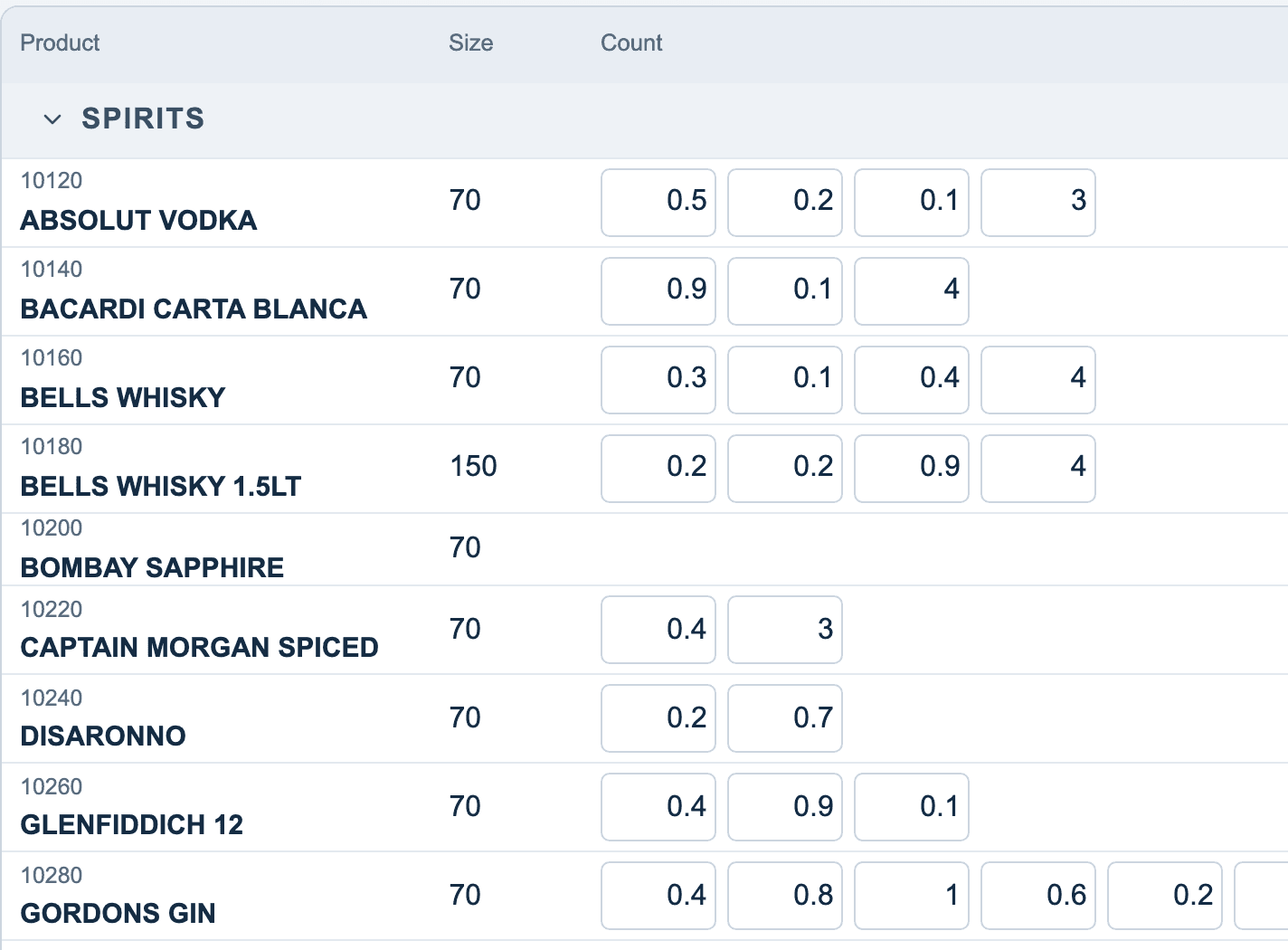
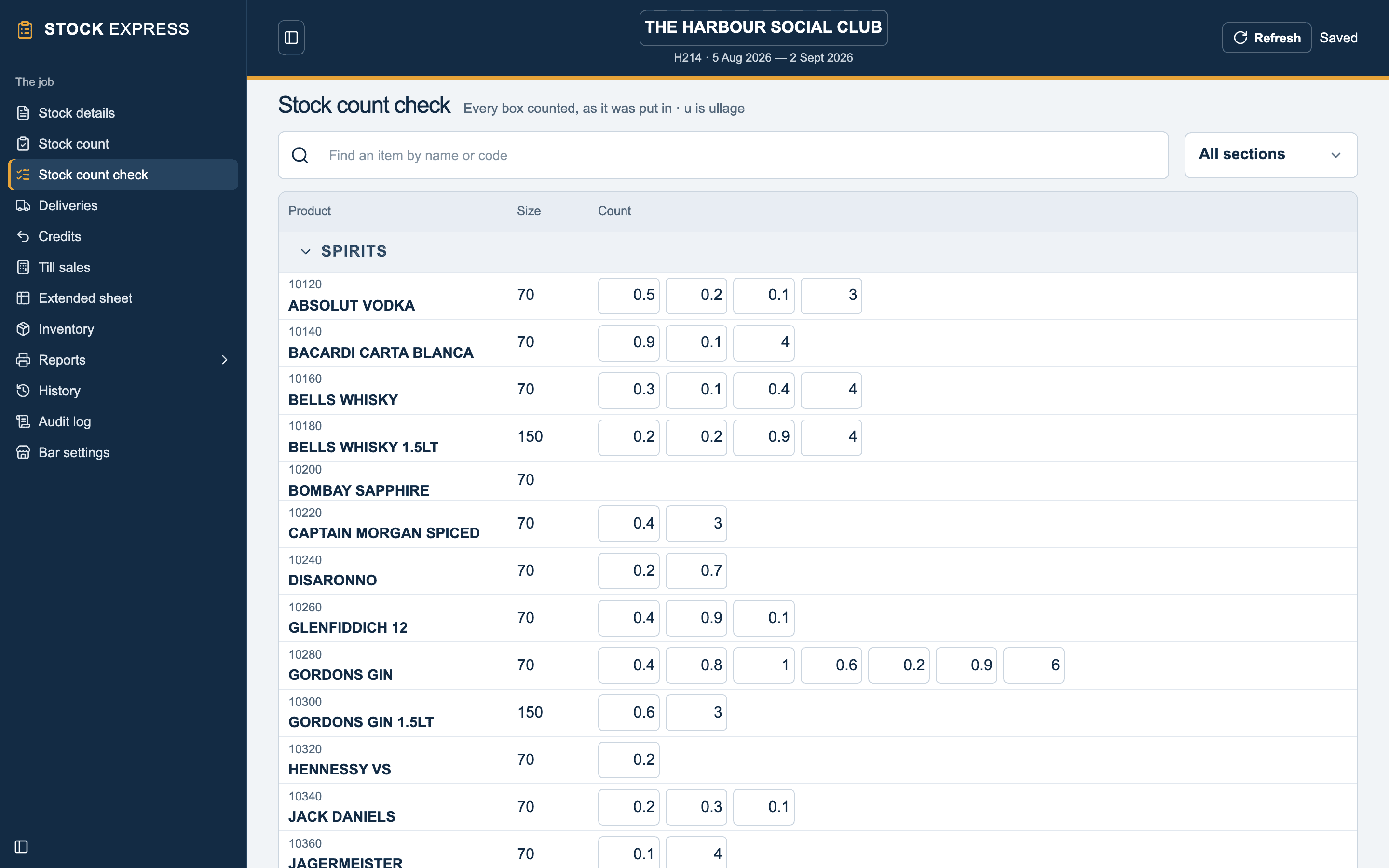
A count pad for each item with columns for each location, the cellar and ullage. Dozens are counted in dozens.
Deliveries
Upload a photo or PDF of the invoice and AI matches the lines to the price list, or type it in by hand. Either way it is checked against the total.
Reports
Bar summary, extended sheet, till differences, stock forward, valuation and more, in the usual layouts.
Counting
The count pad
- Columns for five locations, the cellar and ullage
- Large keys for a tablet, with the figure being entered shown in large print
- Bottled beer and minerals counted in dozens (1:10)
- A count check screen listing every figure entered, which you can correct there
Deliveries
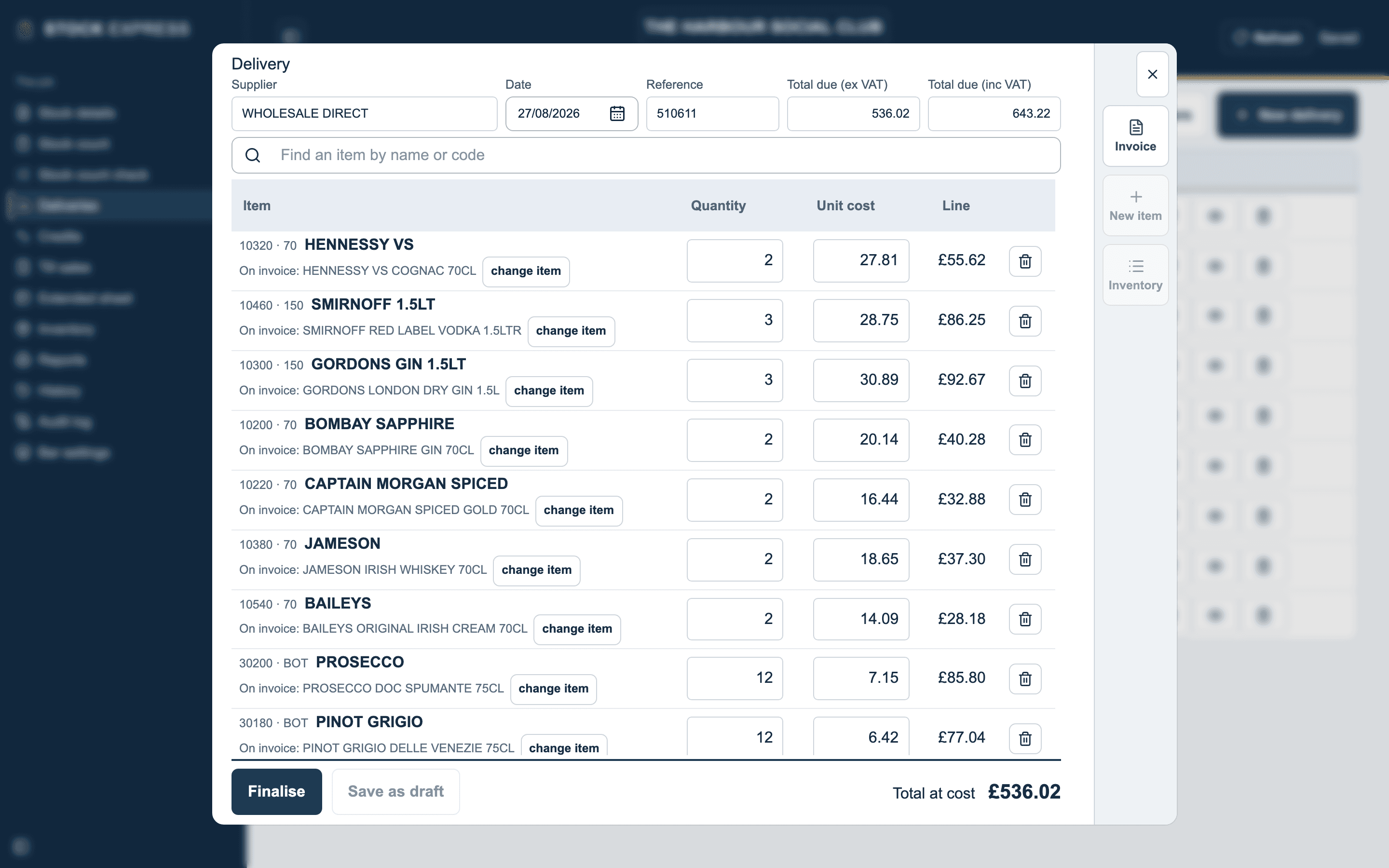
Deliveries from a photo of the invoice
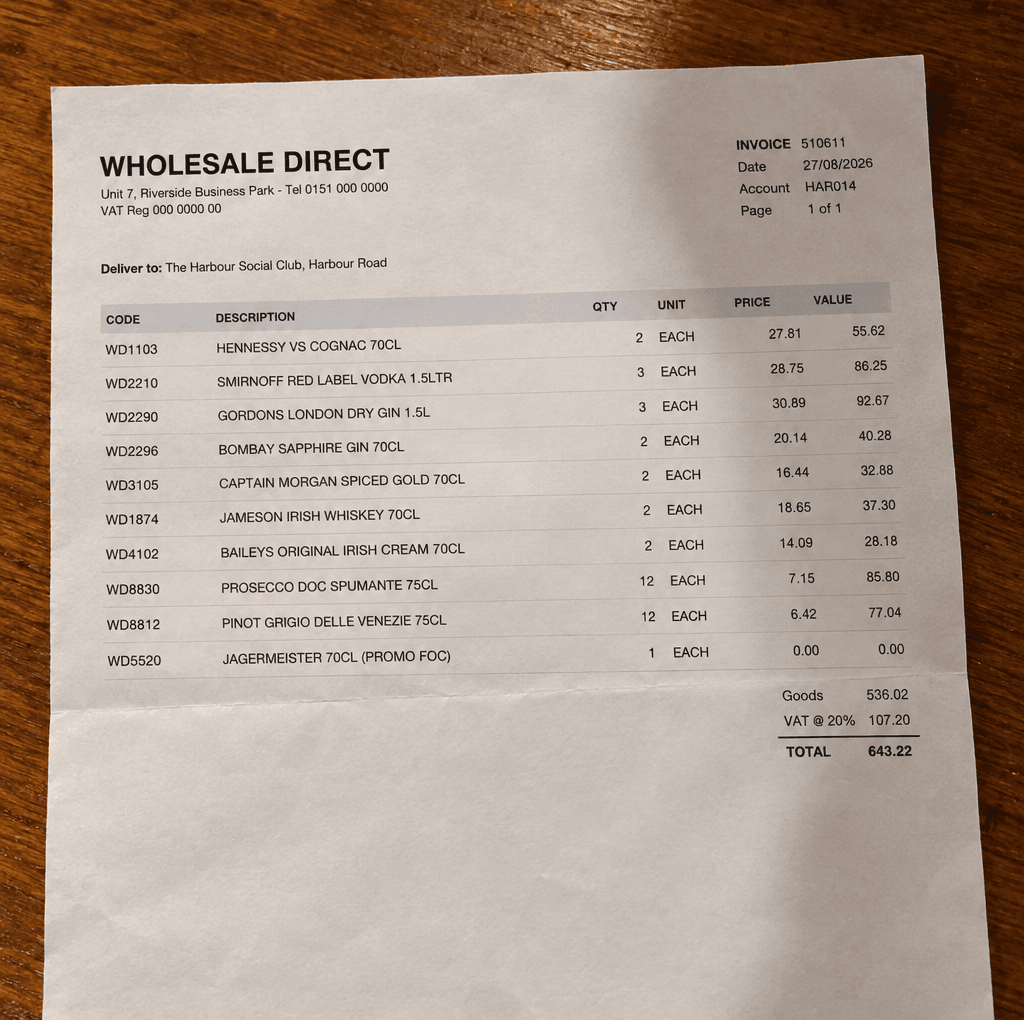
- Upload photos or PDFs, one invoice or several at once, or type a delivery in by hand
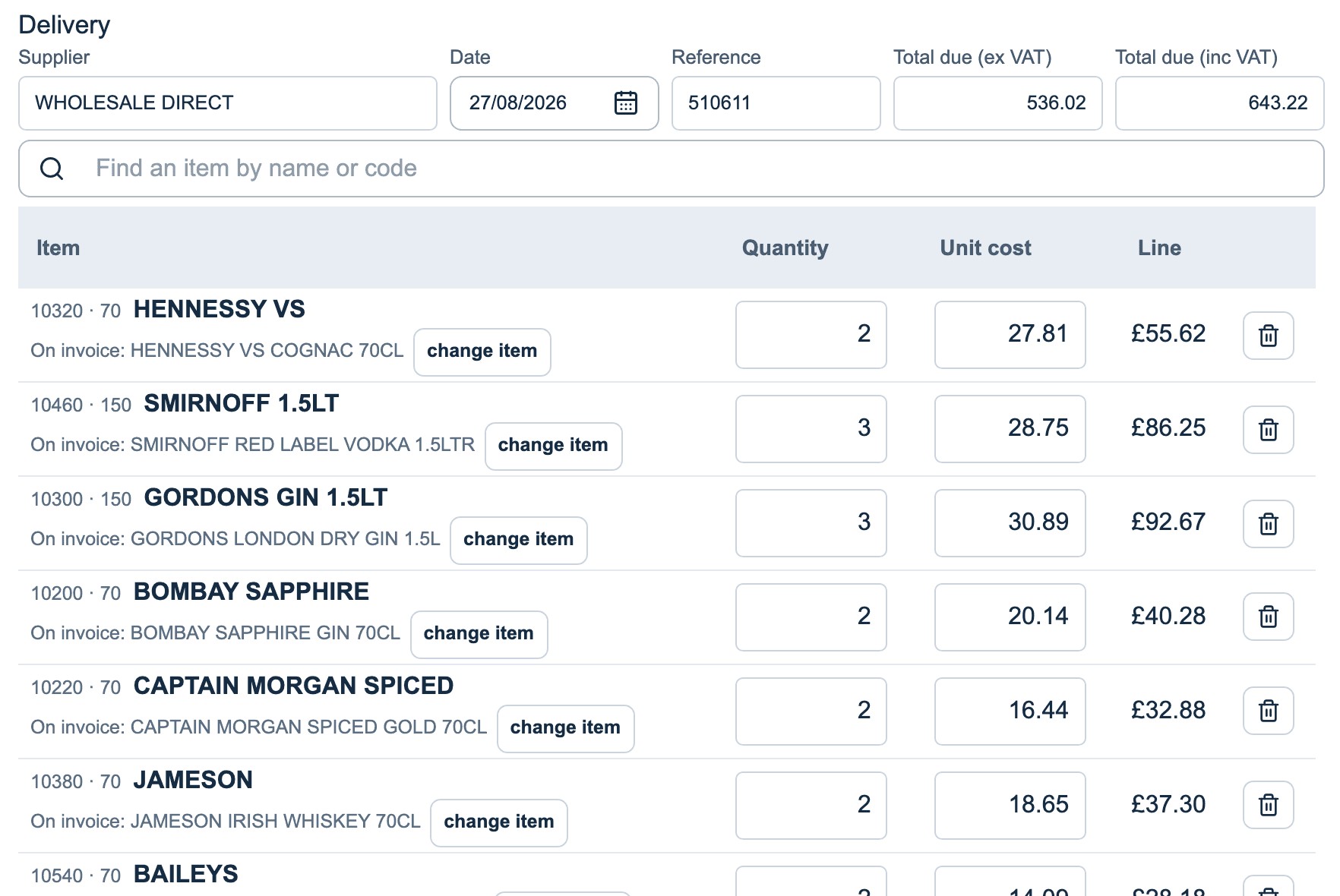
- AI reads each line and matches it to the club’s price list, using the name and supplier code
- Cases converted to your counting units, and lines checked against the invoice total
- Anything uncertain is flagged for you to check
Reports
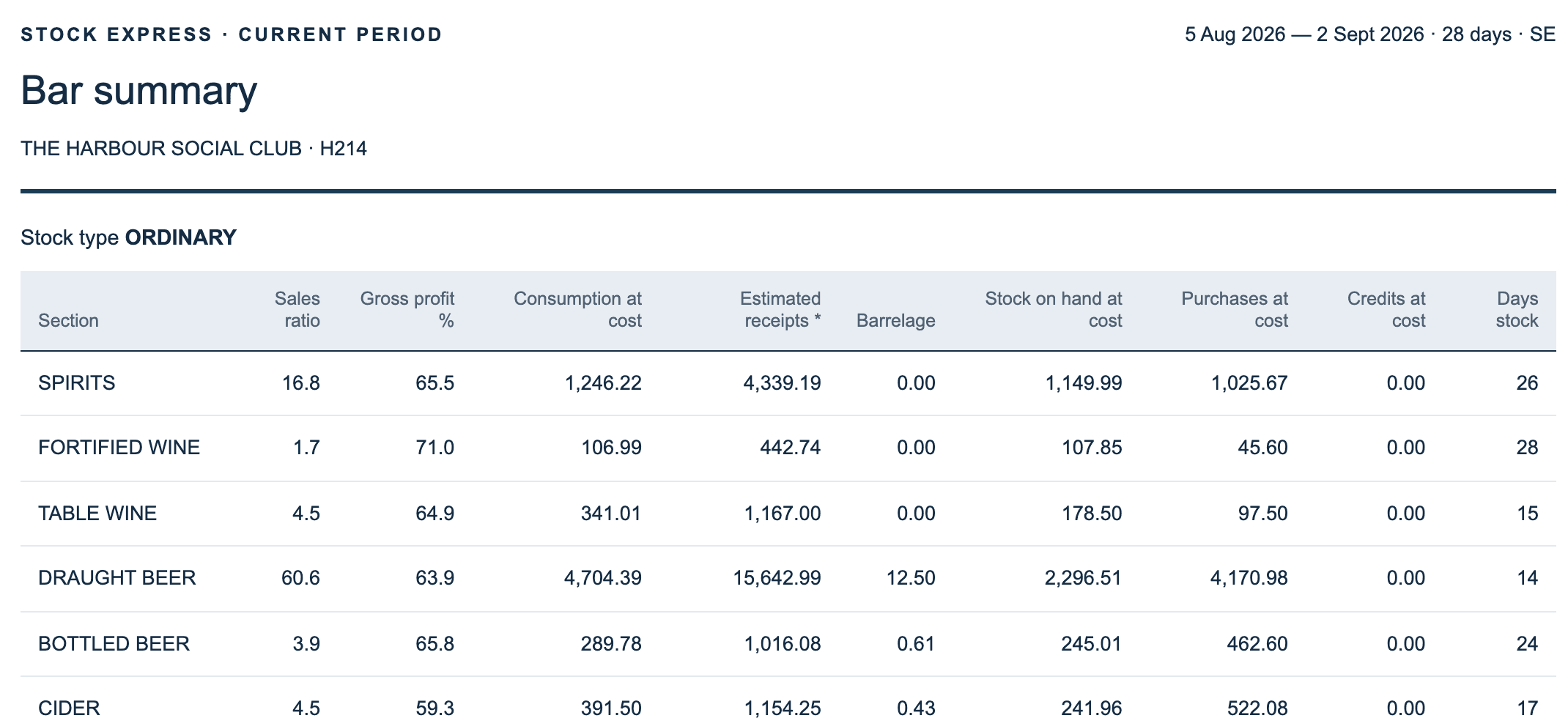
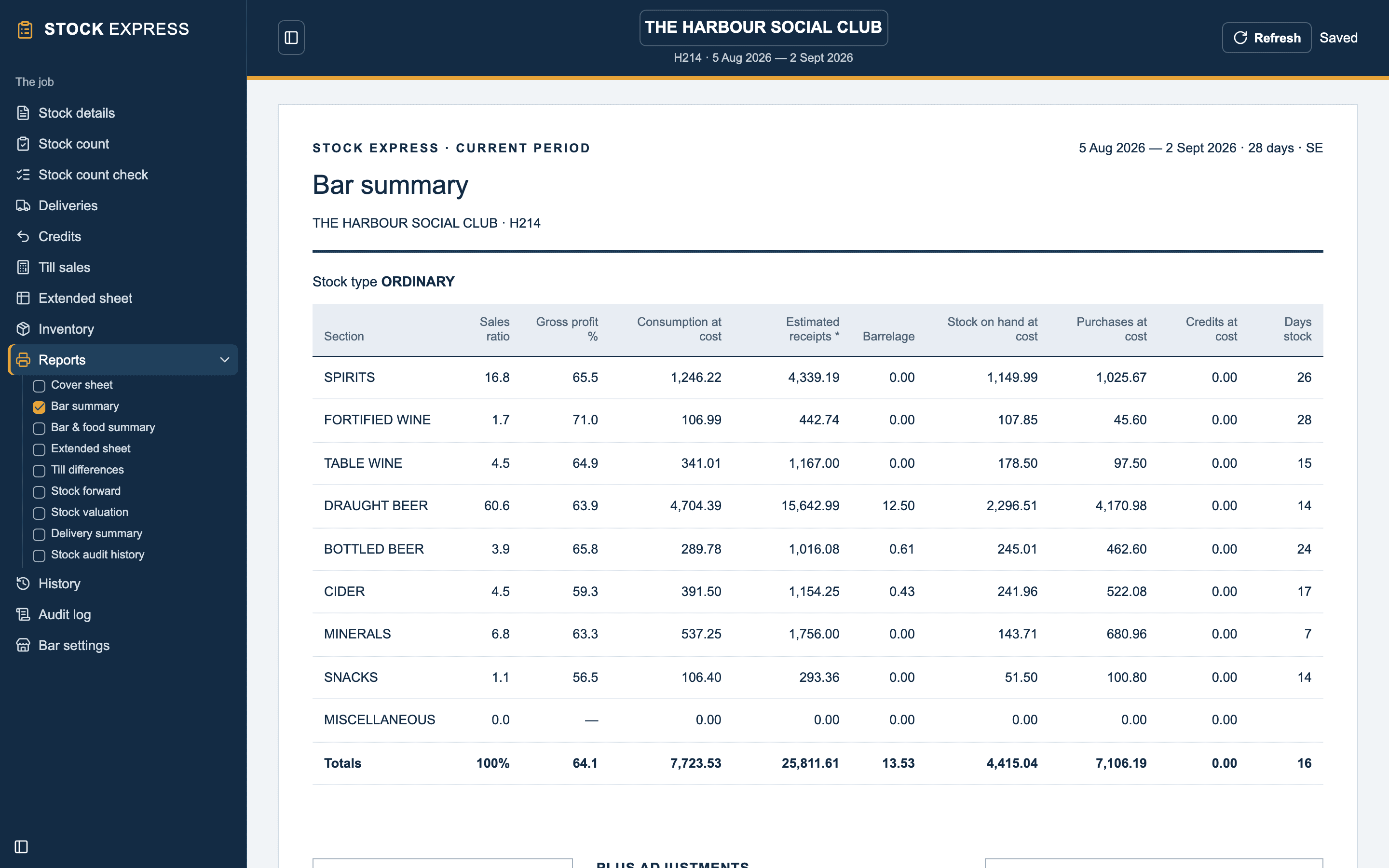
The report pack
- Cover sheet, bar summary, bar & food summary, extended sheet
- Till differences, stock forward, stock valuation, delivery summary
- Stock audit history: gross profit, yield and days stock, period after period
- Print, or save as PDF to email
Screenshots
Shown with a sample outlet. Tap any to see it full size.
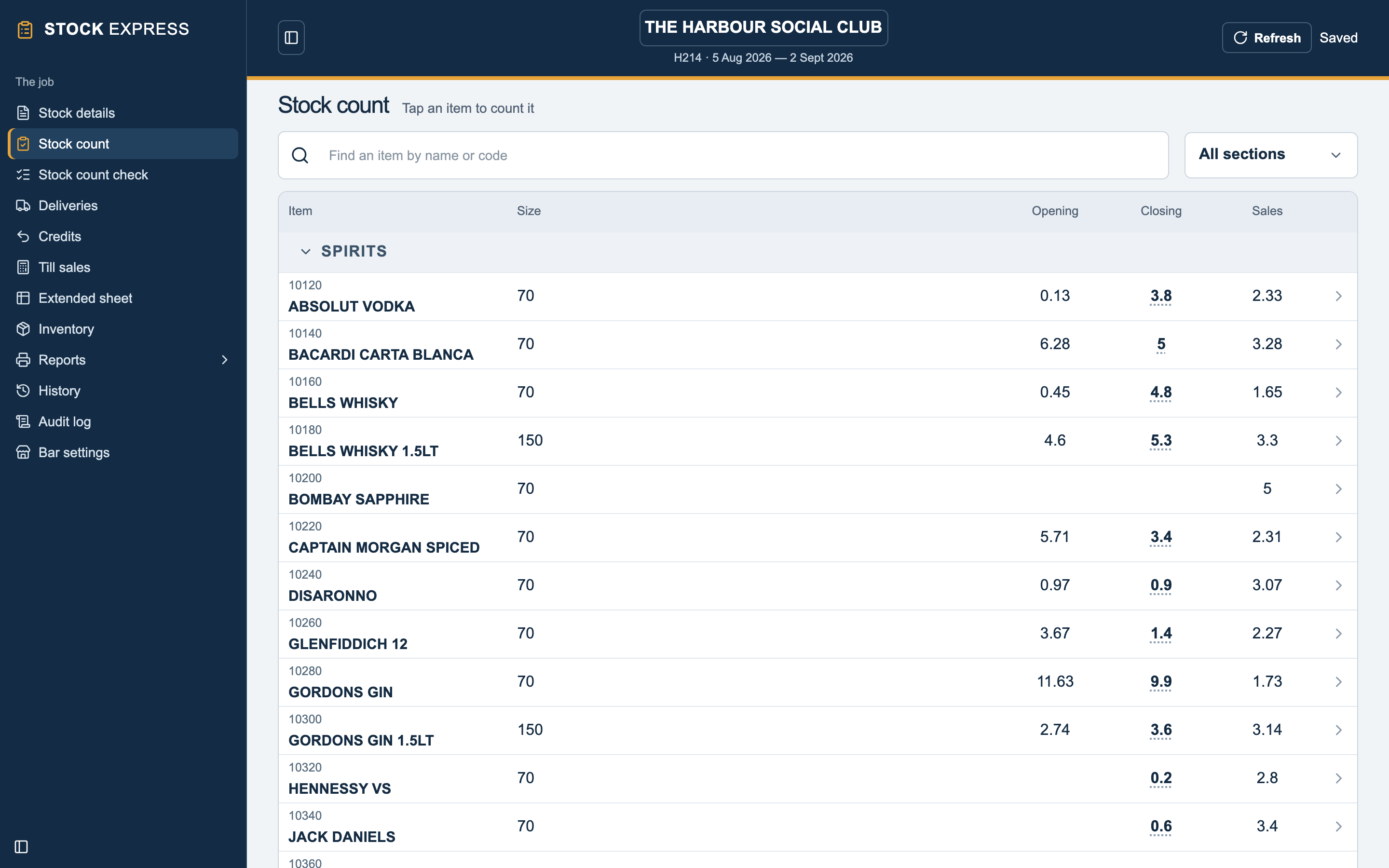
Stock count
Items by section with opening, closing and sales. Tap an item to count it.
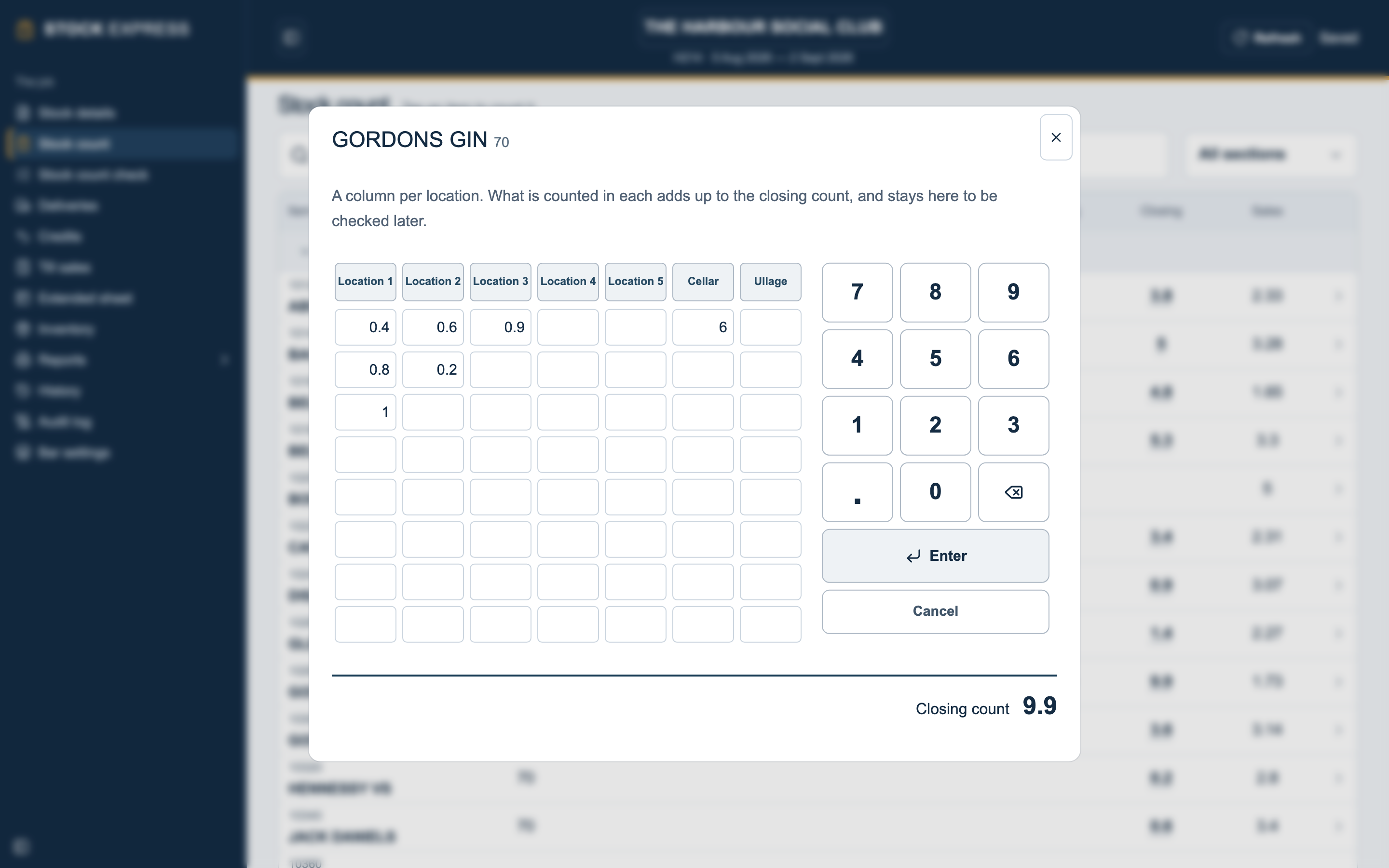
The count pad
Columns for each location, the cellar and ullage, adding up to the closing count.
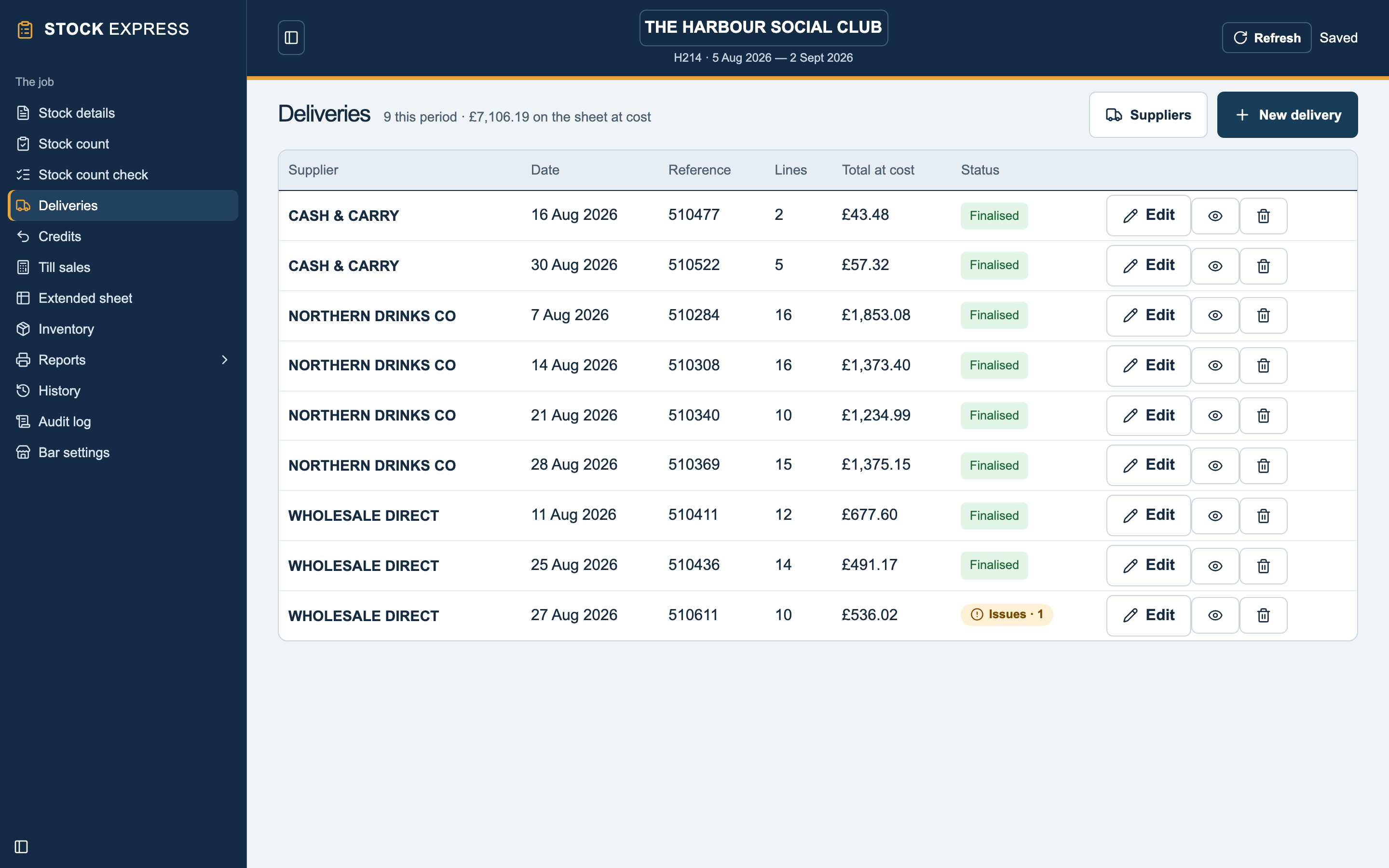
Deliveries
This period’s deliveries by supplier, with any that need checking marked.
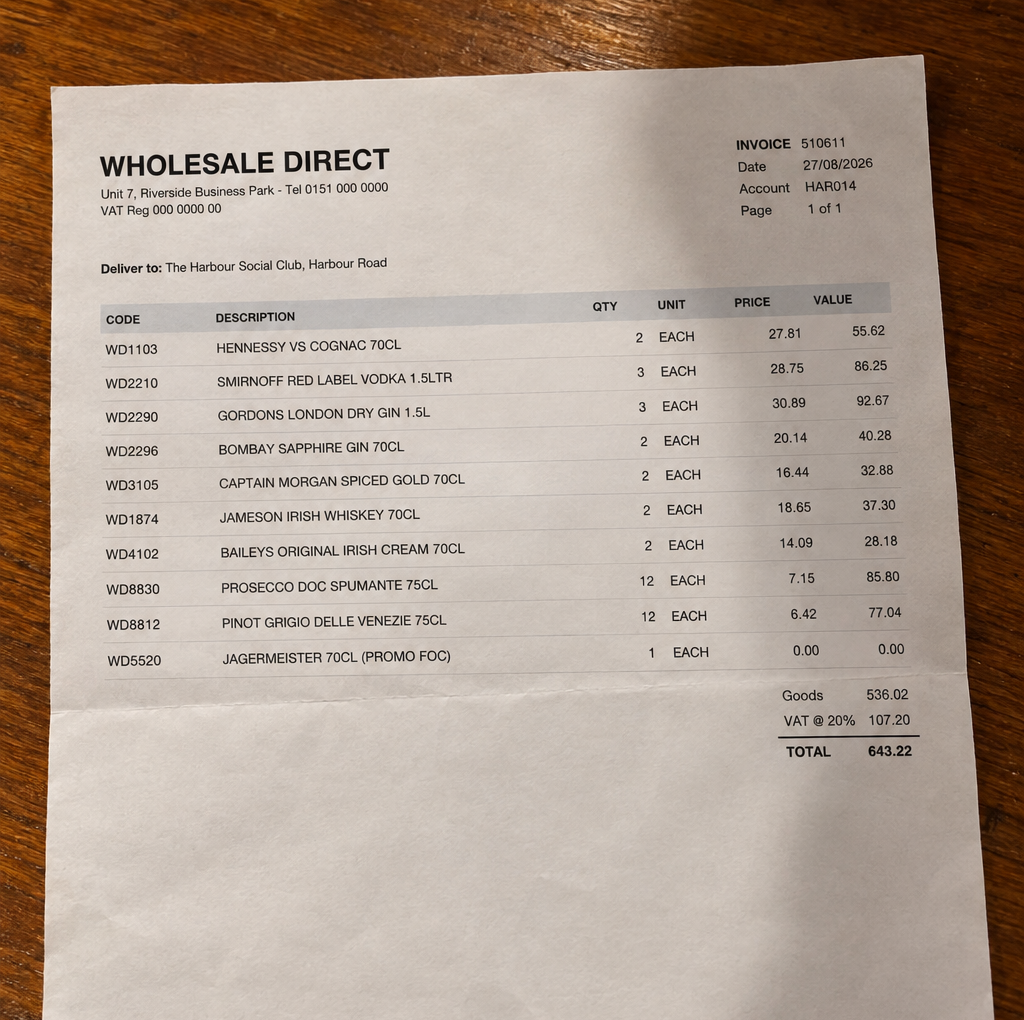
A supplier invoice
A photo taken on a phone, as it would be uploaded. PDFs work too.
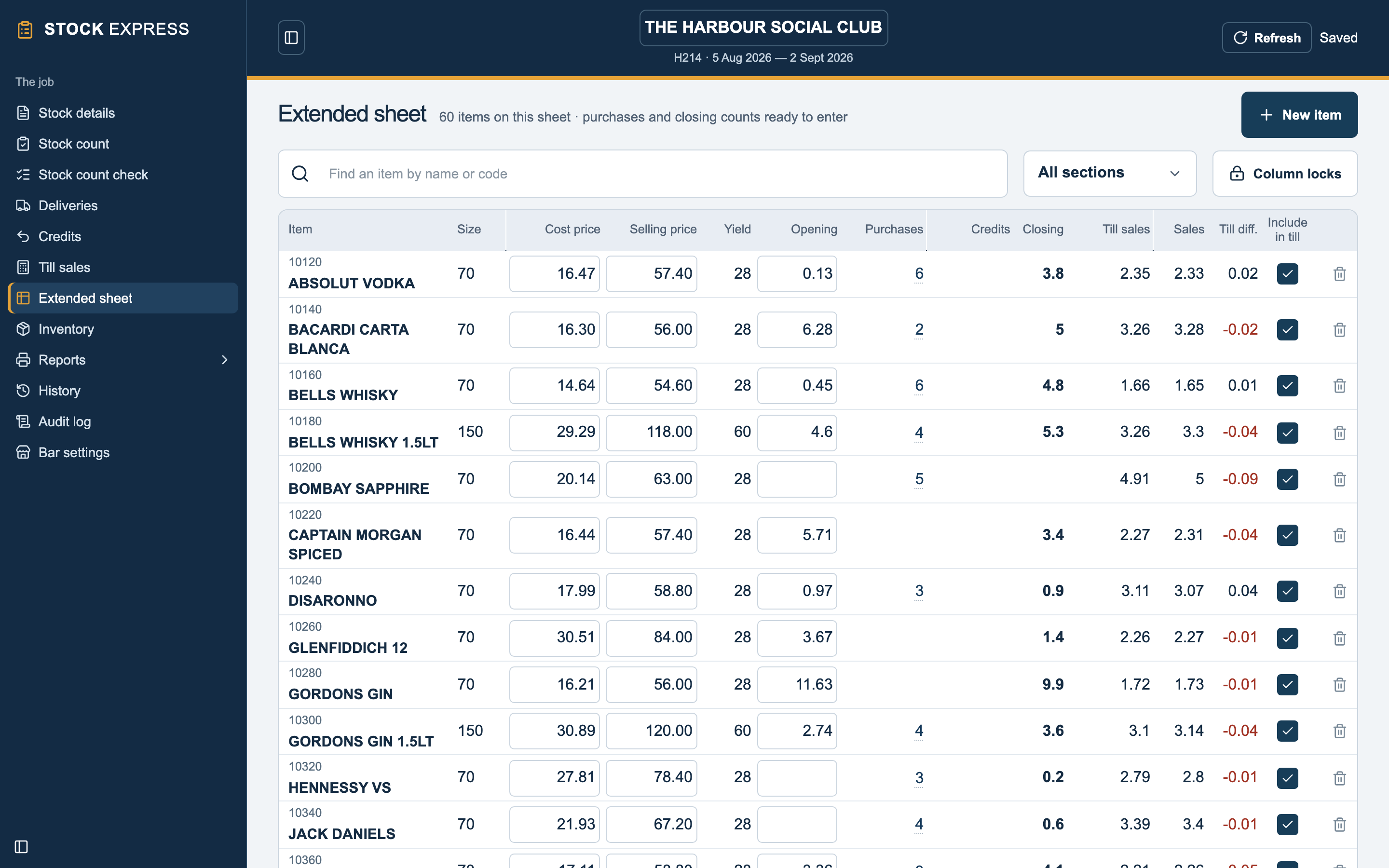
Extended sheet
Prices, opening, purchases, closing, till sales and the till difference for every item.
Features
Counting
- The count pad
- Columns for five locations, the cellar and ullage. The figures add up to the closing count and are kept for checking later.
- Made for a tablet
- Large keys, with the figure about to be entered shown in large print underneath.
- Dozens
- Bottled beer, minerals and snacks can be counted in dozens, e.g. 1:10.
- Stock count check
- Every figure entered for each item, side by side, with ullage marked. Figures can be corrected on this screen.
- Last ullage
- Last period’s ullage is shown on the pad for reference.
Deliveries and credits
- Photo or PDF
- Upload one invoice or several. Multi-page invoices are put back together.
- Or by hand
- Type a delivery in line by line when there is no invoice to upload.
- AI matching
- AI reads each invoice line and matches it to the club’s items by name and supplier code, allowing for spelling differences. You check and finalise.
- Supplier codes remembered
- Codes from finalised deliveries are saved and used to match that supplier’s next invoice.
- Checks
- Flags lines that don’t add up, totals that are out, invoices already entered and dates outside the period.
- Unit conversion
- Cases and kegs are converted to your counting units, with the unit cost adjusted.
- Totals ex and inc VAT
- Enter either and the other is worked out.
The sheet
- Extended sheet
- Opening, purchases, credits, closing, till sales, sales and till difference for every item, with cost and selling prices.
- Till sales
- Entered by item. Items can be excluded from the till.
- Column locks
- Lock columns to stop them being changed by mistake.
- Inventory
- The full price list with sizes, yields and barrelage. New items can be added while entering a delivery.
- Allowances and adjustments
- Named as you like and shown on the reports.
Reports
- The pack
- Cover sheet, bar summary, bar & food summary, extended sheet, till differences, stock forward, stock valuation, delivery summary and stock audit history.
- Stock audit history
- Gross profit, yield, days stock and weekly averages by period. Last 30 months by default, or any range.
- Printing
- Tick the reports you want and print, or save as PDF.
- Your details
- Your practice name and phone number on the cover, your email and the auditor’s initials on each page.
- Dozens or decimals
- Choose how dozens are shown on printed reports.
- Sample pack
- Download the sample report pack (PDF)
History and the audit log
- Past periods
- Closed periods are archived and can be opened and printed at any time.
- Undo a close
- A period close can be undone. A recovery copy is kept.
- Audit log
- Every change to a job is logged: who, what, old and new value, and when.
- Restore any version
- A job can be rebuilt as it was at any earlier save.
Working together
- More than one user
- Two people can work on the same job, for example one counting and one entering deliveries.
- Count on site, upload after
- Count on a tablet at the outlet. With no signal it carries on, keeps the work on the tablet, and uploads it when you are back online.
- Cloud backup
- Every change is saved to the cloud as you go, and logged, so nothing depends on one machine.
- Nothing to install
- Runs in the browser. It can also be installed as an app on a tablet or laptop.
- Your outlets
- All your outlets in one list, visible only to your practice.
- Multi-bar outlets (coming soon)
- Count and report each bar separately, with a gross profit for each bar and the outlet as a whole.
Getting started
- Import from PS Stock Auditor
- Outlets, price lists and past periods imported from PSSA.
- Other systems
- We also import from the other main stocktaking systems.
- Help getting set up
- We do the import and check it with you.
Compared with traditional software
Runs on
Stock Express
Laptop, tablet or phone
Traditional software
A Windows PC
Installing and updates
Stock Express
Nothing to install, updates automatic
Traditional software
Installed, updates downloaded
Delivery notes
Stock Express
Read from a photo or PDF
Traditional software
Typed in line by line
Backups
Stock Express
Automatic, with every change logged
Traditional software
Up to you
Two of you on one job
Stock Express
Both work on it at once
Traditional software
One PC holds the data
Our promise
Replies within 24 hours
Basic queries and bug fixes get a response within 24 hours.
Updates every week
Improvements are released weekly. There is nothing to install, so you always have the latest.
Ask for what you need
Request other reports and features, and we will consider them for development.
Switching over
Moving from PSSA or another system
We import your outlets, price lists and past periods from PS Stock Auditor and the other main stocktaking systems, so your next stock carries on from the last one.
- Price lists, sizes, yields and selling prices
- Last closing stock as the new opening
- Past periods for the history report
- We do the import for you
- Deliveries by photo from the first stock
Book a demo
We’ll show you how it works, and can load one of your own outlets for you to try.