The price list
Every item the outlet can carry, its prices and yields, and which are on this period's sheet.
The Inventory screen is the outlet's price list: every item it might stock, with its code, description, size, cost price, selling price and yield.
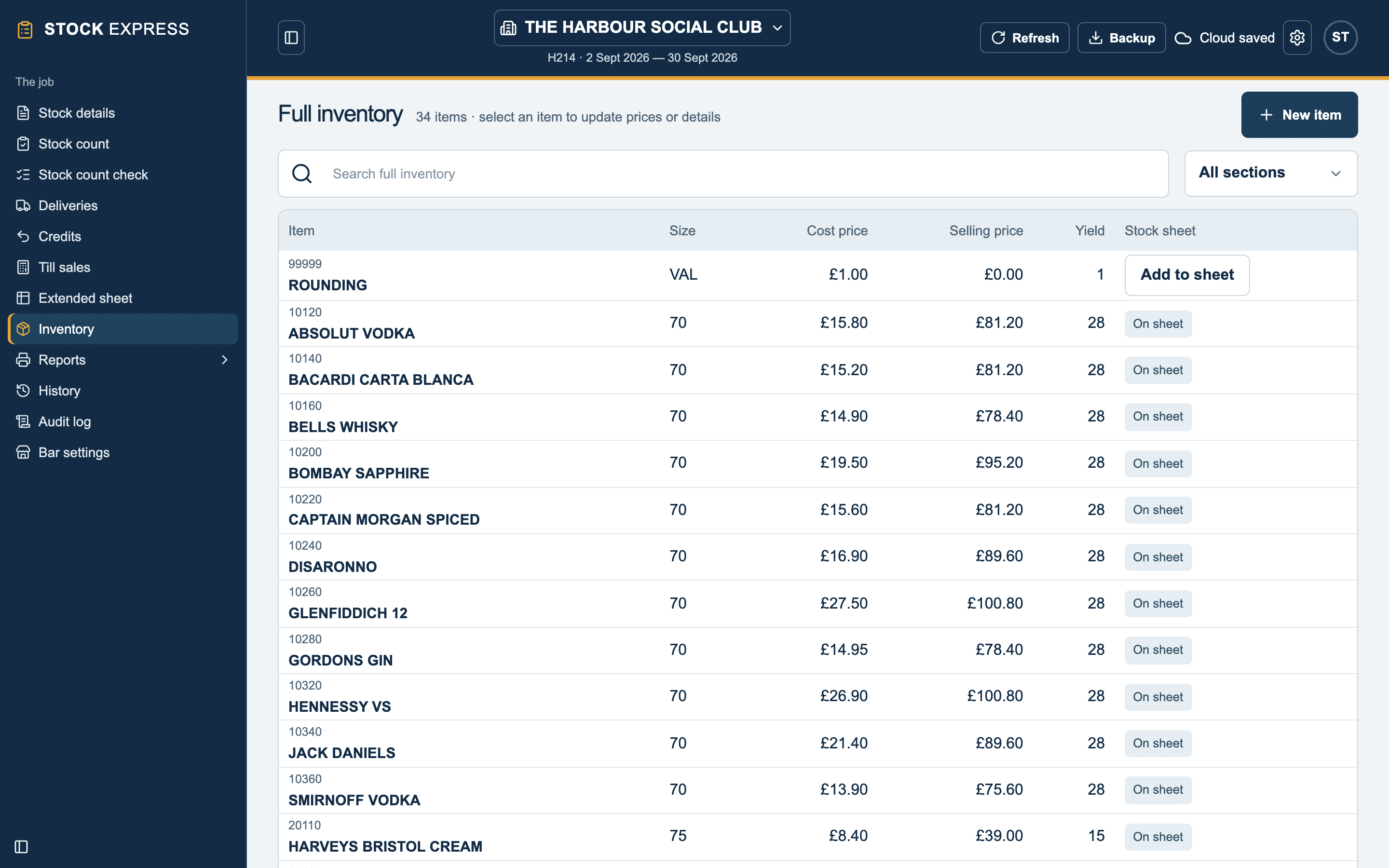
The stock sheet is the part of it being counted this period. Each item on the price list shows On sheet, or an Add to sheet button.
Finding an item
Type a name or code in Find inventory item, or pick a group in Inventory section to see just that one.
Adding an item
Tap New item and fill in:
- Item code: five or six figures. The first figure (or first two) is its group, which must already exist. Every code is unique.
- Item description and Item size.
- Cost price and Selling price.
- Yield: how many measures, pints or servings in one unit. It cannot be nought.
- Quantity per barrel: for draught, so barrelage can be worked out.
- Count in dozens: for bottled beer, minerals and the like. It is counted and shown as dozens and odd ones, so 1:10 is one dozen and ten.
- Keep on stock sheet when quantities are zero: leaves it on the sheet when a period ends with none of it, instead of it dropping off.
Tap Save item. A new item goes straight onto the stock sheet, with nothing counted yet.
Changing an item
Tap an item to edit it. A cost or selling price changed this period is marked with a star on the printed extended sheet.
You can also give an item a new code. Its counts, stock line and delivery lines all move with it to the new code.
Taking an item off the sheet
Remove it from the extended sheet. It stays on the price list to add back later. An item on a delivery this period cannot come off the sheet.
Want to see this with one of your own outlets? Book a demo.