History
Every closed period kept whole, to look back at or print again.
History lists every period you have closed at the outlet, newest first, by its dates.
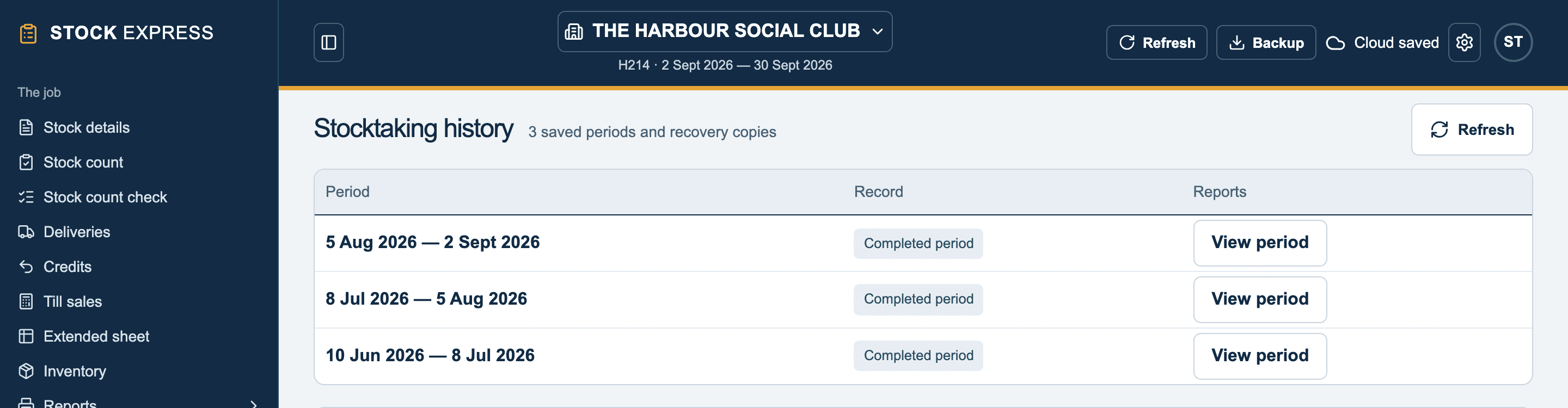
- A Completed period is one closed in the usual way.
- A Recovery copy is what was in hand when an admin undid a close, kept so nothing is lost.
Tap View period to open one. It opens exactly as it was when it closed: the count, every pad figure, deliveries, till and reports. A banner across the top says Archived period · read only, and nothing can be changed. Tap Return to current period to come back.
Year to date
Under Financial year-to-date selection, each closed period's takings, net takings, consumption cost and result make up the year-to-date figures on the reports. Untick Use in YTD for any you want to leave out of them.
Section barrelage keeps each group's barrels for the year so far. A period's barrels are added when it closes; set them back to nought at the start of the year.
Want to see this with one of your own outlets? Book a demo.