Till sales
What the till sold, against what the sheet says went.
Till sales puts what the till rang up beside what the stock sheet says was sold, item by item, so you can see where they disagree.
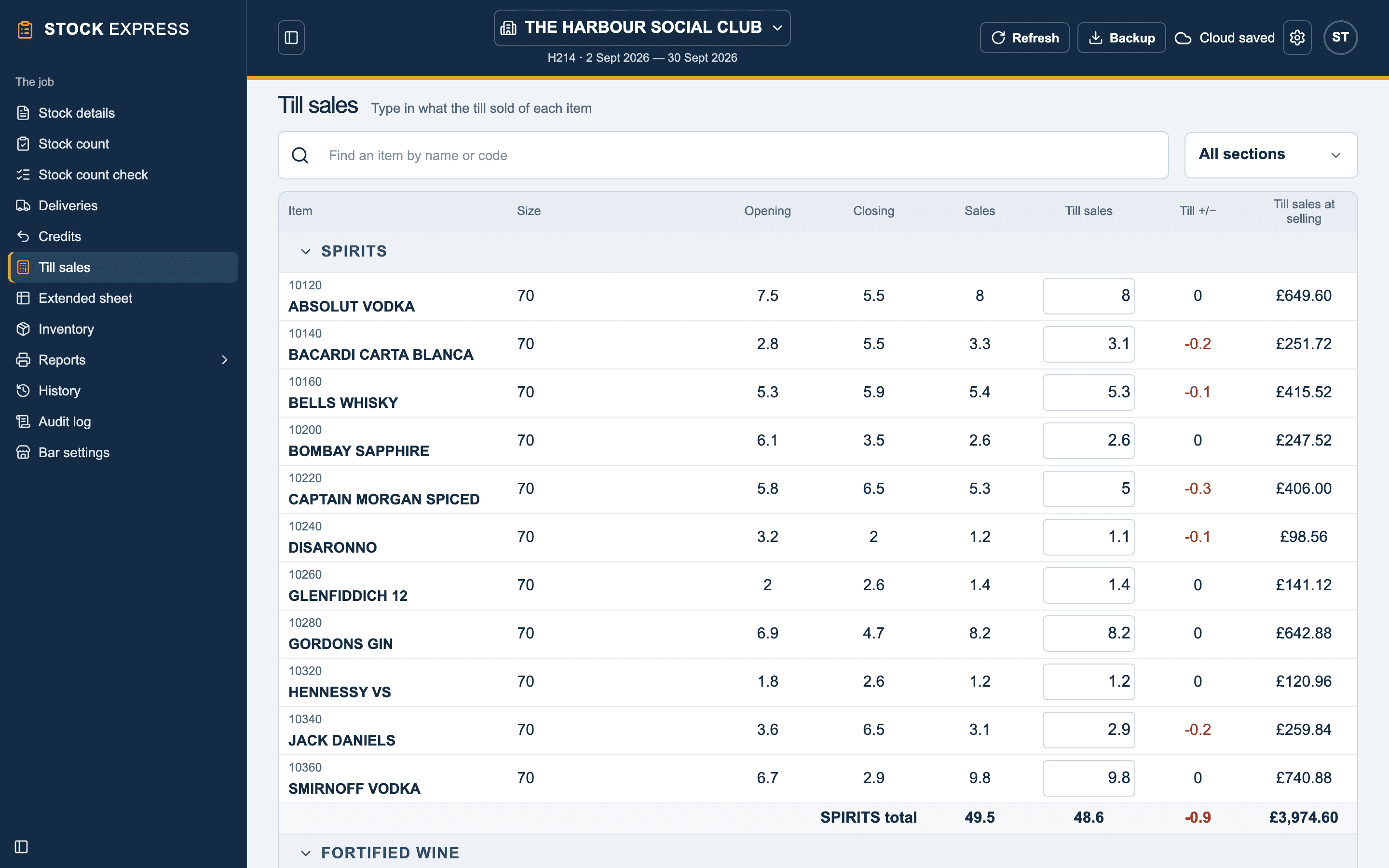
Each item shows its opening, closing and Sales from the sheet. Type what the till sold in its till box:
- The difference (till less sheet) appears beside it. A till that rang up less than the sheet says went is shown in red.
- What the till took at the selling price is worked out alongside.
- Enter moves to the next item's box, so you can type a whole till read straight down.
- Leave a box empty for an item the till did not sell.
- Escape puts back what was there.
Type the till in the same units you count in: 5 is five bottles. An item counted in dozens takes dozens and odd ones, like 1:4.
Each group is totalled, and All groups at the foot. These figures make up the Till differences report.
To leave an item out of the till differences altogether, untick Include in till report for it on the extended sheet.
Want to see this with one of your own outlets? Book a demo.