Counting
The stock count, with every item on the sheet ready to count.
Stock count lists every item on the sheet by group, with its size, opening, closing and sales. Sales change as you count.
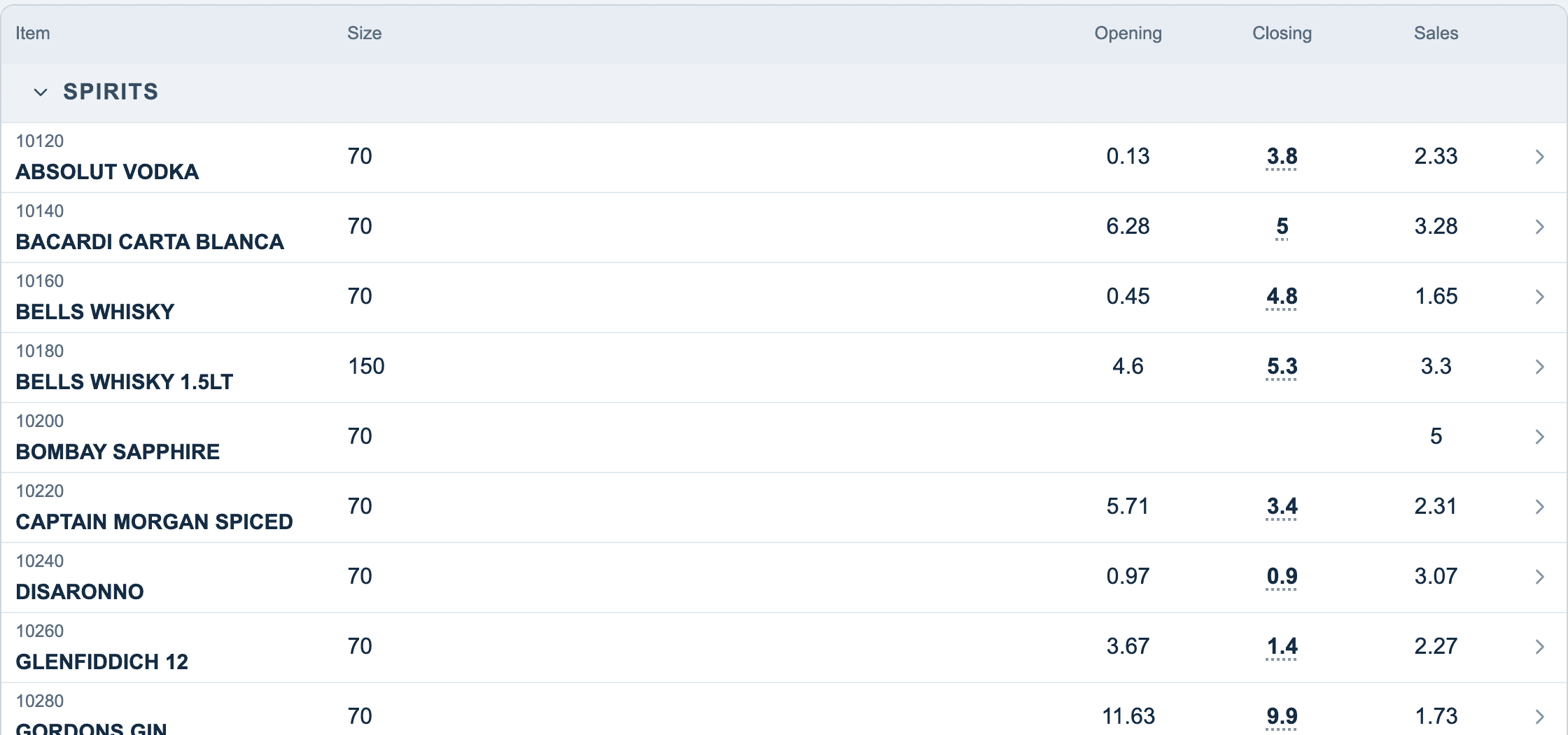
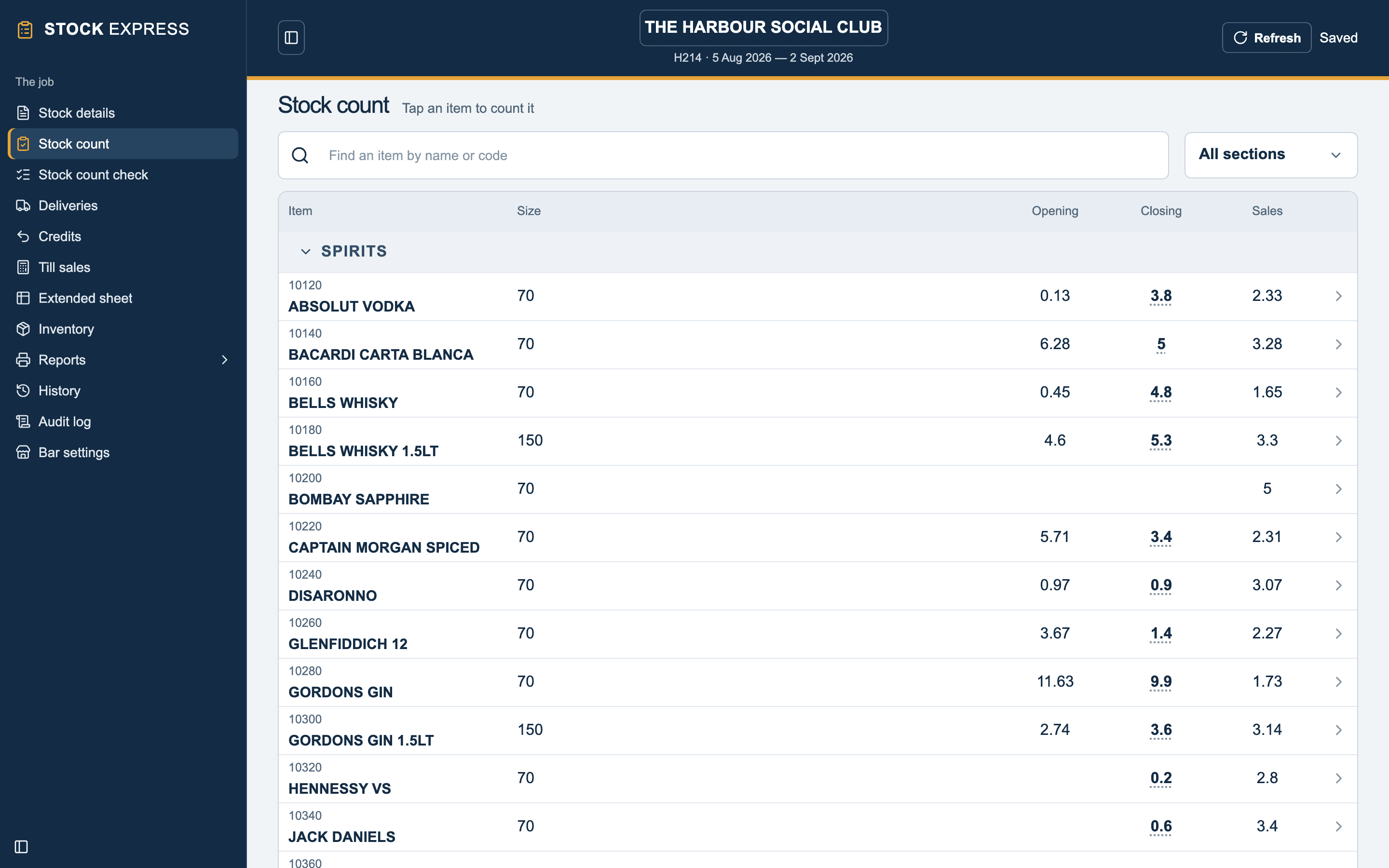
Find an item with Find an item to count (by name or code), or pick a group to see just that one. Tap a group's heading to fold it away. The column headings stay at the top as you scroll down.
Tap anywhere on an item's line to count it on its count pad.
In this section
- The count pad: counting an item, location by location.
- Ullage: stock on hand that cannot be sold, and last period's to count against.
- Dozens and draught: bottled beer by the dozen, kegs by the gallon.
- Checking the count: every figure read back, and put right.
Several people counting
Two people can count the same outlet on two tablets. Each one's figures reach the cloud box by box, and Refresh brings in the other's. See Two devices, one outlet.
Want to see this with one of your own outlets? Book a demo.