Reports
Choosing the reports, and printing the pack or saving it as a PDF.
Open Reports, and the reports to choose from appear in the sidebar. Tick the ones you want; they show on screen as they will print, always in pack order. Then tap Print / save PDF, and choose a printer or Save as PDF.
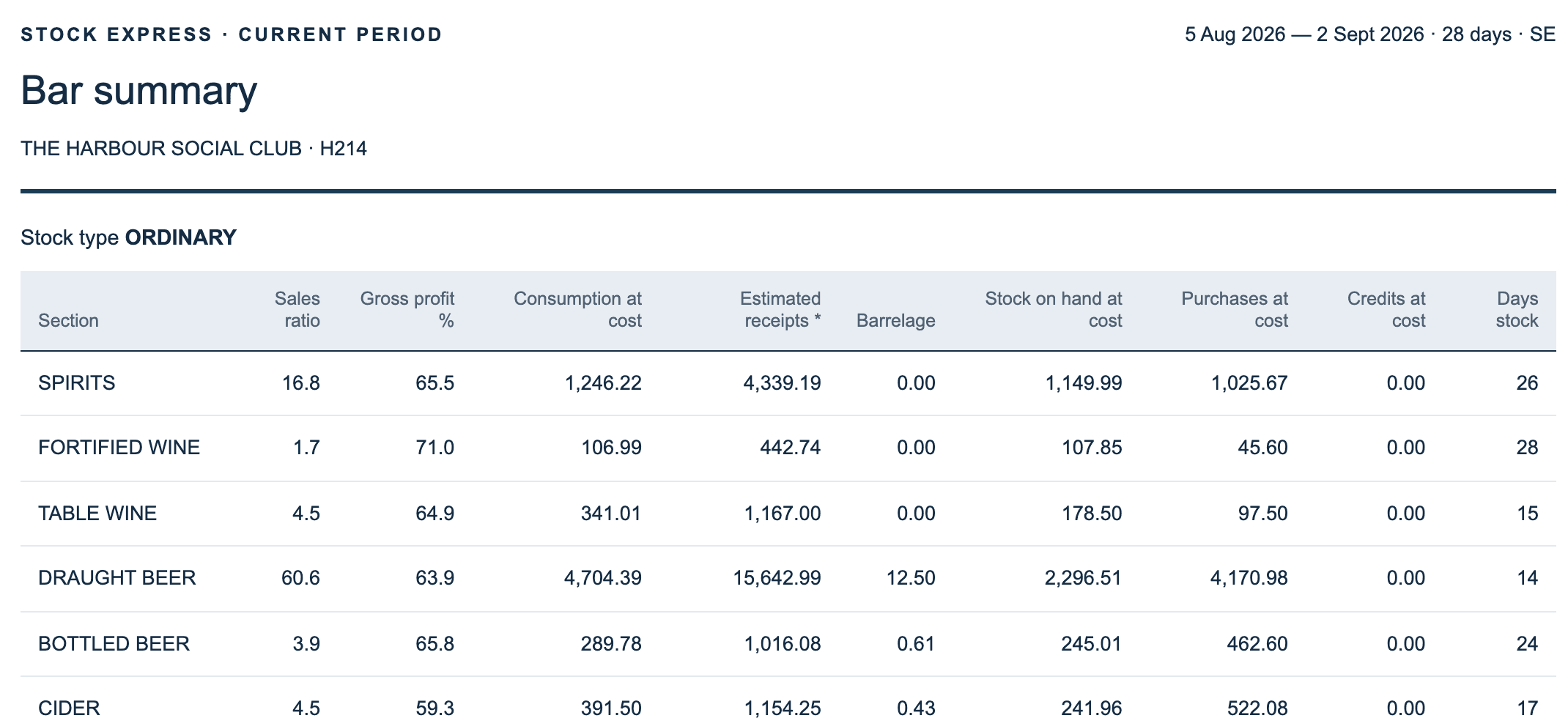
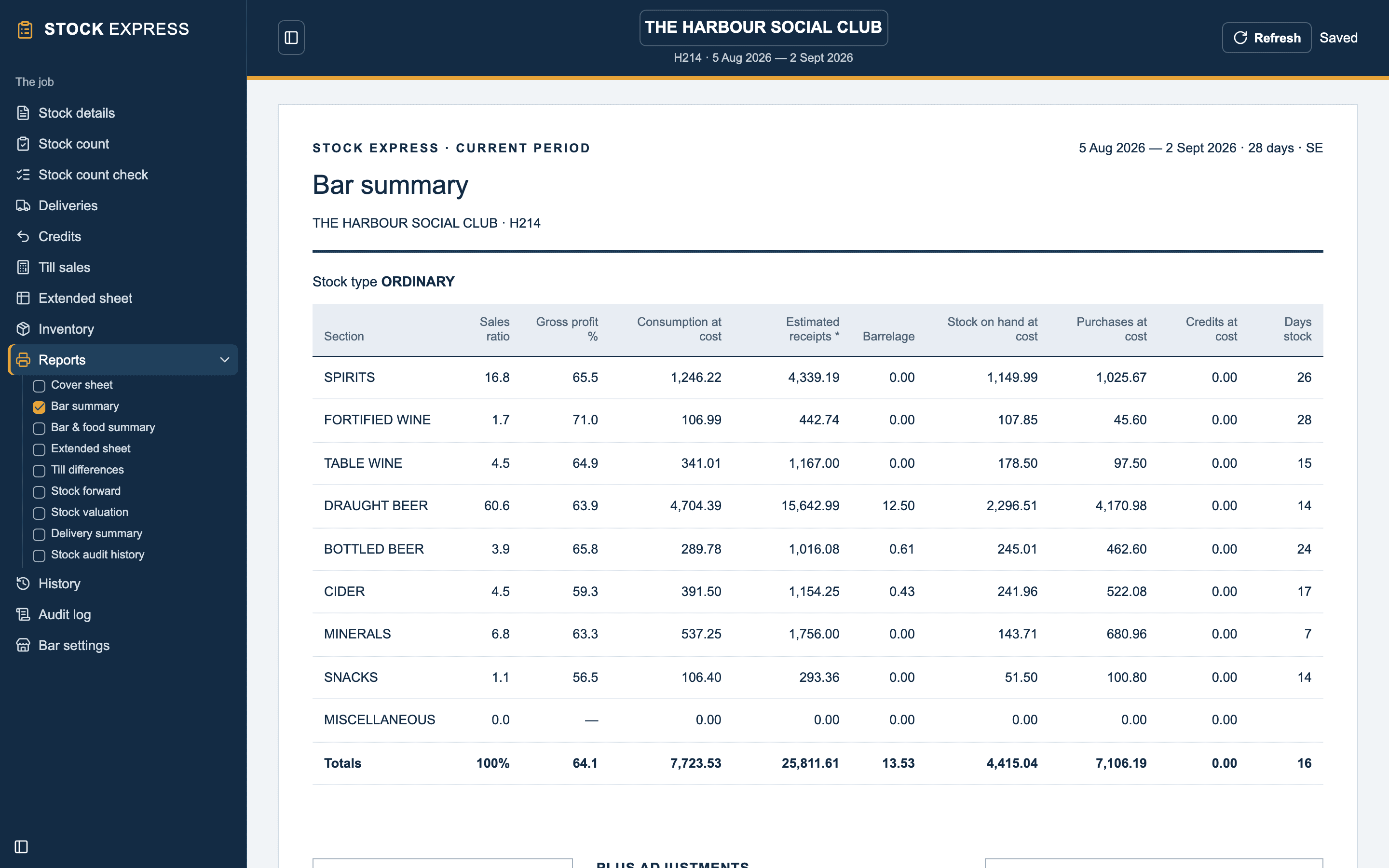
Each report starts on a new page with its own page numbers. Every one is headed with the outlet, job number, period dates, days and initials, with your practice's email at the foot. A period with no closing date yet is marked as in progress.
Stock Express waits until everything you typed has saved to the cloud before it prints, so the pack is never a step behind the screen.
The reports
| Report | What it shows |
|---|---|
| Cover sheet | The outlet, period, job, stocktake type, and your practice's details |
| Bar summary | Each group's share, GP %, consumption, sales, barrelage, stock, purchases, credits and days stock; adjustments and allowances; expected against actual receipts; the result; the financial year to date |
| Bar & food summary | The bar summary, plus the food stock: opening, purchases, credits, closing, net takings, and GP with and without allowances |
| Extended sheet | Every line in full, with bar prices, GP % and days stock |
| Till differences | Till against sheet for each line, in units, at cost and at selling |
| Stock forward | Each line's closing, carried into the next period, with spaces to write in |
| Stock valuation | What is left, at cost, totalled |
| Delivery summary | This period's finalised deliveries |
| Stock audit history | Each closed period's takings, result and GP, between two months you choose |
Download a sample report pack (PDF) to see them.
Dozens
Whether dozens print as 1:1 or as decimals is your own choice, under Settings → General → Dozens on reports.
Reports from an earlier period
Pick a closed period in Reporting period to print its reports again. They are marked as an archived period.
Want to see this with one of your own outlets? Book a demo.