People
Inviting people into your practice, their roles, and removing someone.
Admins add people from Settings → People, or People in the menu under your initials.
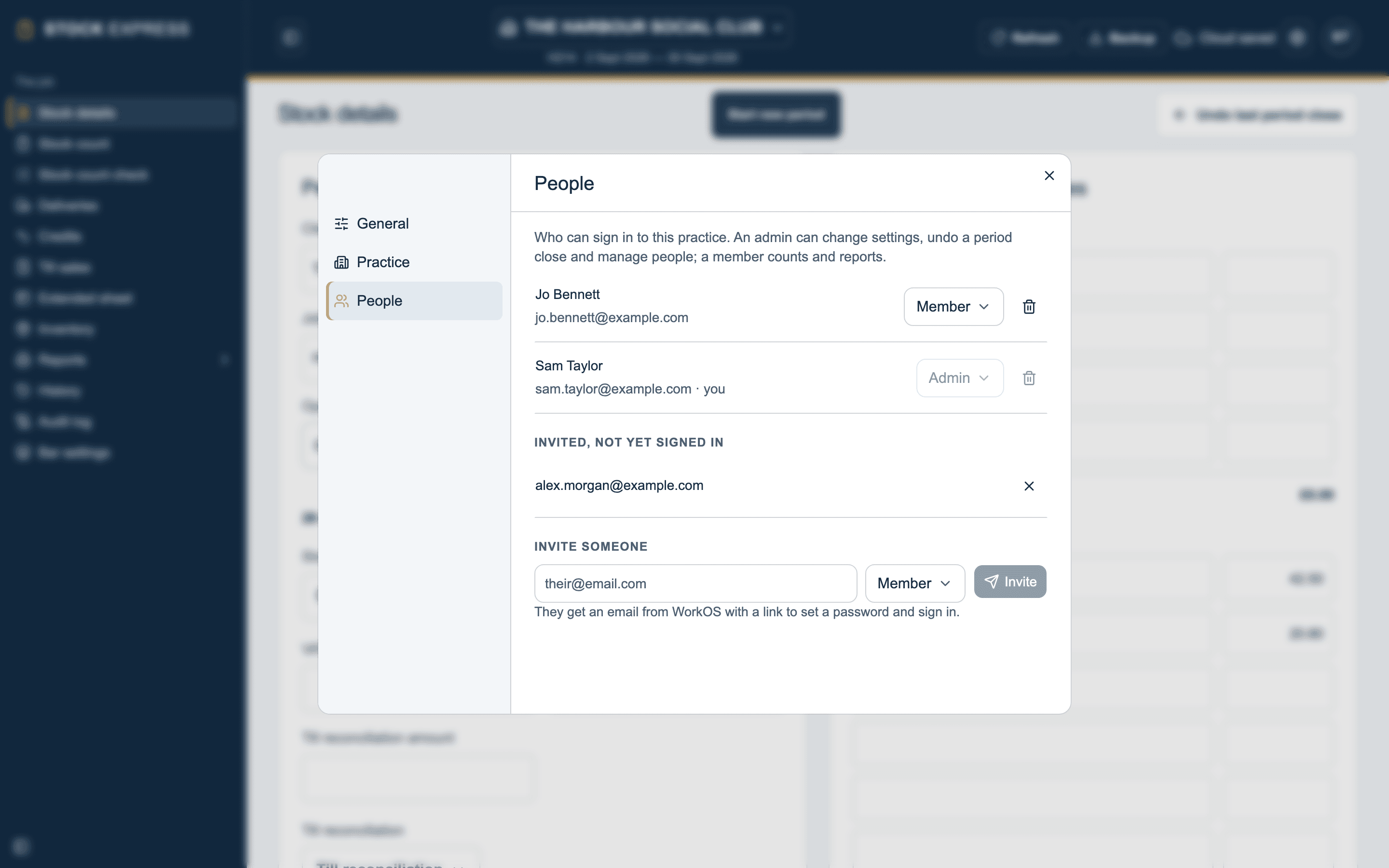
Inviting someone
- Type their email in Email to invite.
- Pick Admin or Member in Role to invite as.
- Tap Invite.
They get an email with a link to sign in, and show under Invited, not yet signed in until they do. You can take an invitation back before it is used.
Changing a role, or removing someone
Change anyone's role with the box beside their name. Remove someone with the bin beside them; they lose access to every outlet straight away.
To stop a practice locking itself out, an admin cannot remove themselves or take admin off themselves. Ask another admin to do it.
Only admins see People. See Admins and members.
Want to see this with one of your own outlets? Book a demo.