From a photo of the invoice
Uploading invoices to be read and matched to the price list, and sorting what it was unsure of.
When the invoice reader is turned on for your practice, Deliveries has an Upload invoices button (and Credits an Upload credit notes one). Upload photos or PDFs, as many as you like. Pages of one invoice can be separate photos: they are put together for you. Each invoice is read and matched line by line to the outlet's price list, as a draft for you to check.
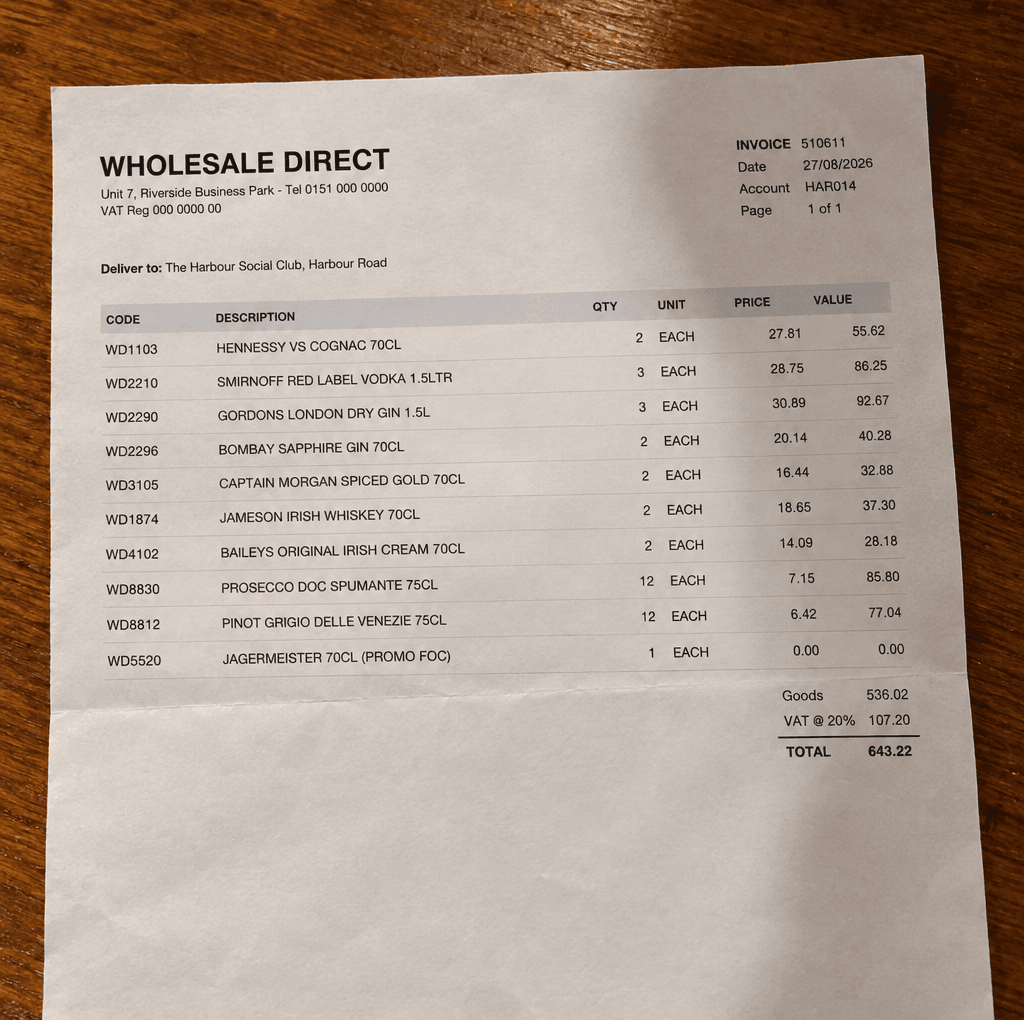
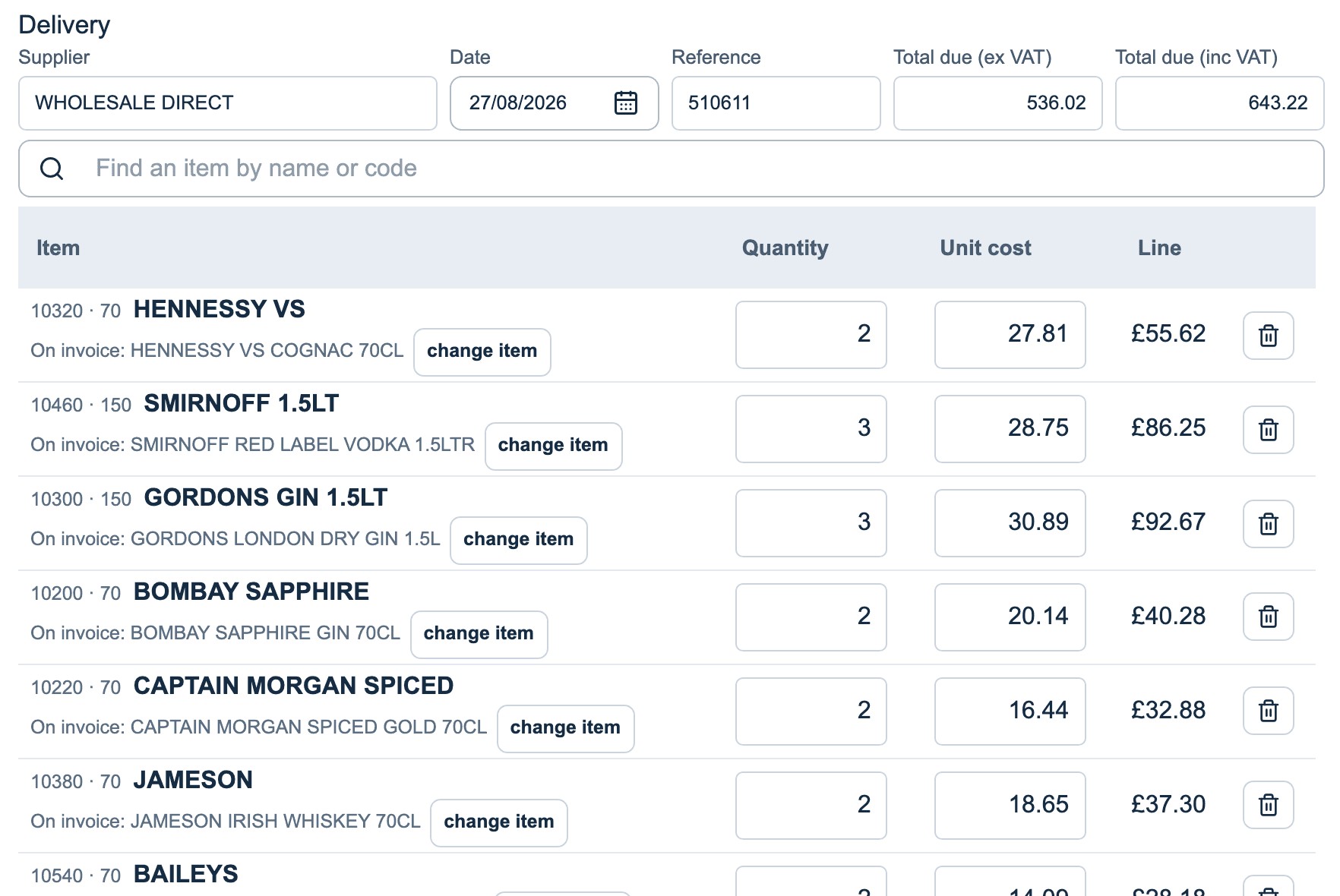
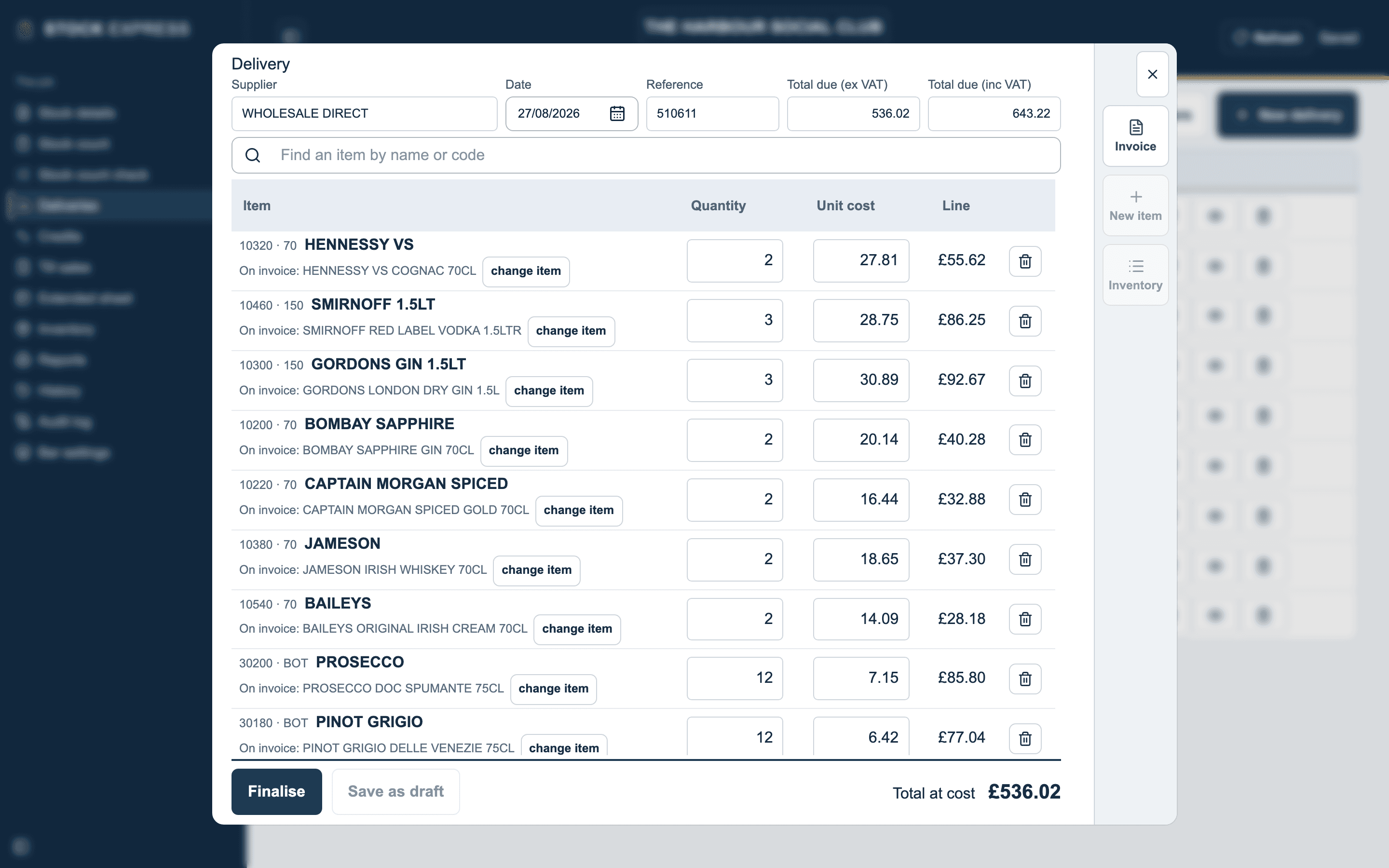
You can shut the upload window while it reads. It carries on, and the drafts go in the list when it is done. Nothing reaches the sheet until you finalise it, just as with a delivery typed in by hand.
The invoice reader is an option for each practice. Ask us to turn it on.
When a draft has issues
A draft with anything for you to sort says so in the list: Issues and how many.
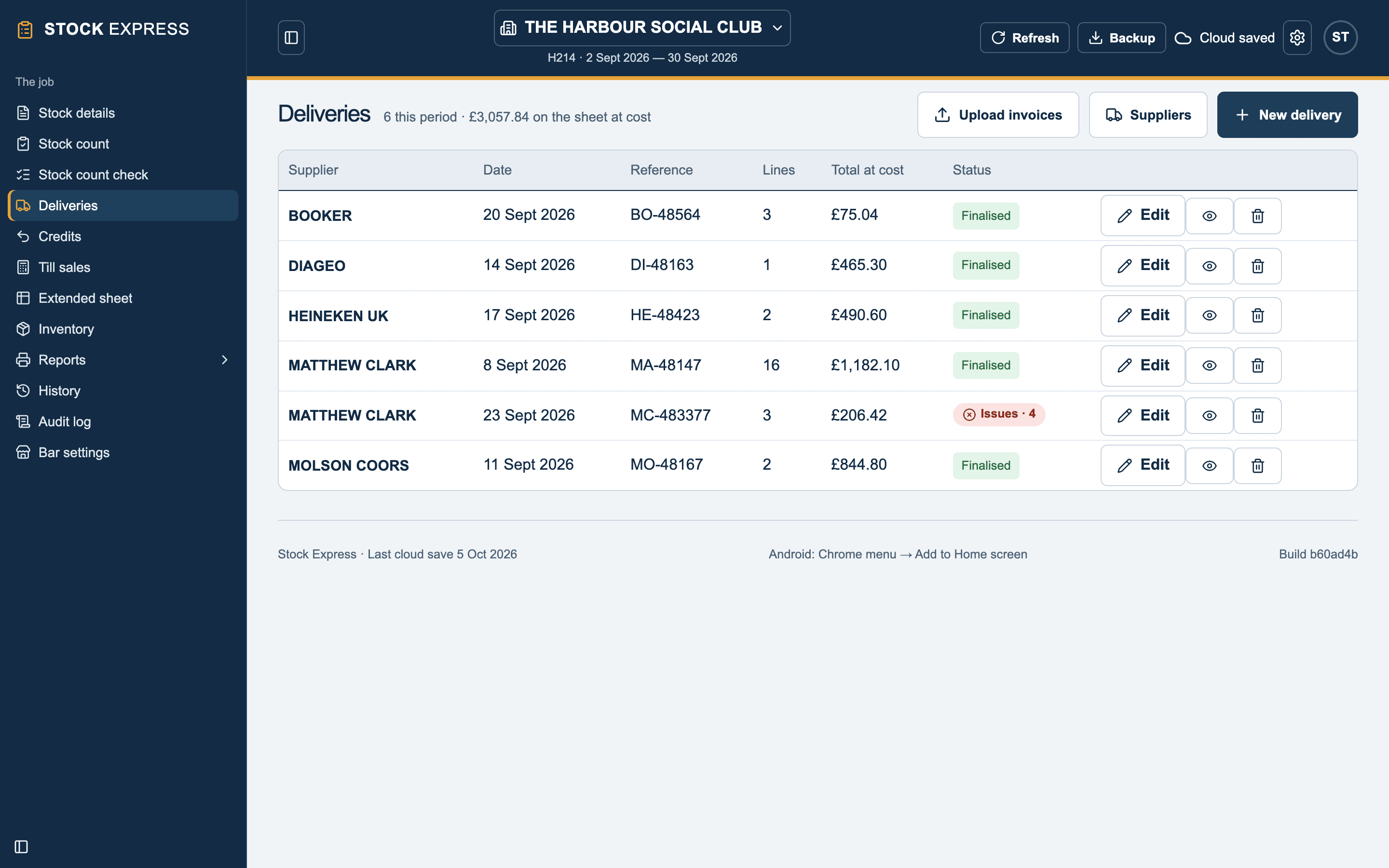
Tap Edit to open it. Each line that needs you has a short note under it. Tap why beside the note to read what the reader found.
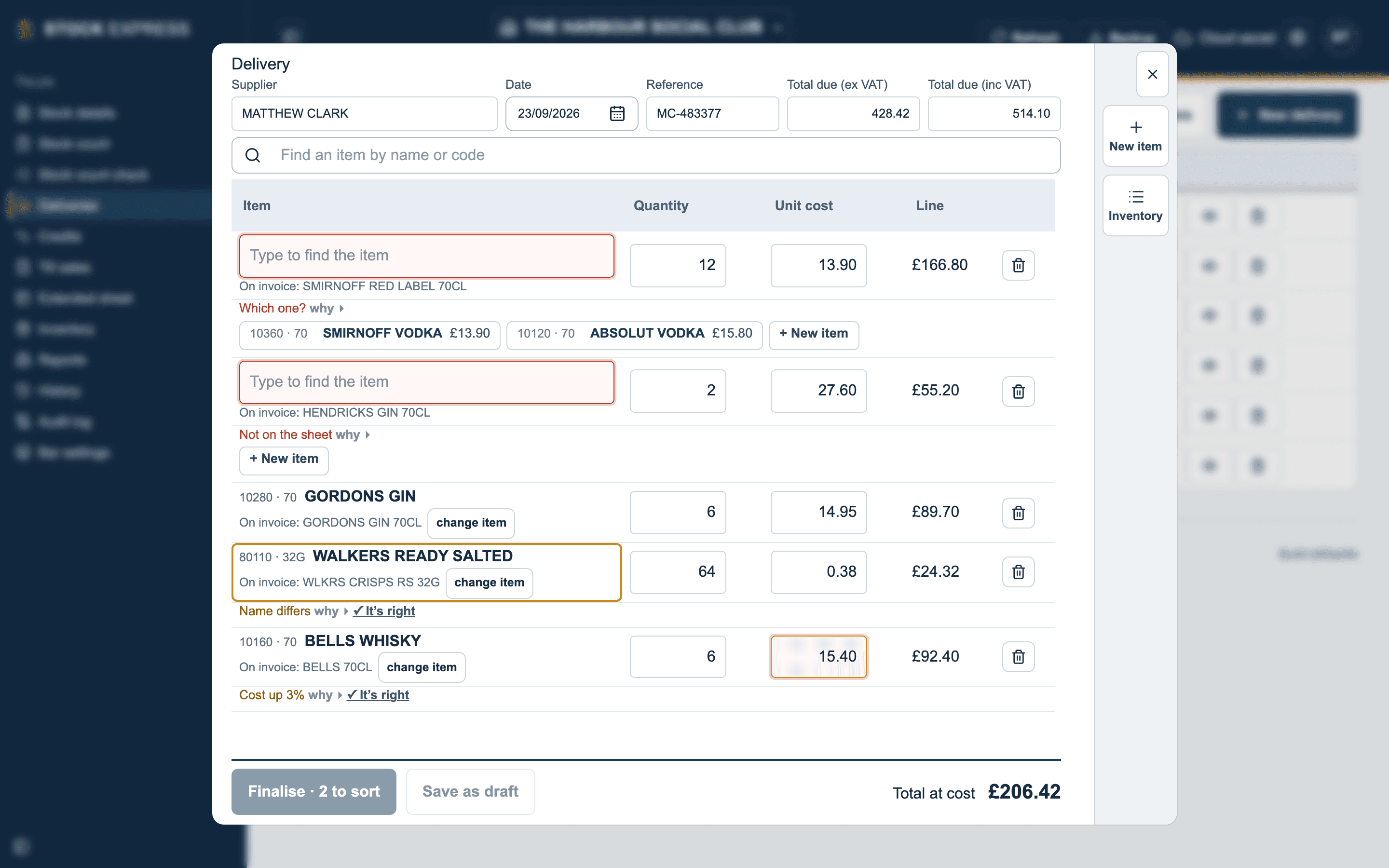
- Red means it has to be sorted before the delivery can be finalised. The Finalise button says how many are left: Finalise · 2 to sort.
- Amber means check it. If it is right, tap ✓ It's right; if not, change the line as you would on any delivery.
- Plain notes are for your information only.
Sorting a line is editing it, just as on a delivery you typed: pick the item, type the figure, or bin the line.
Issues on a line
To sort before finalising
| Note | What it means |
|---|---|
| Not on the sheet | Nothing on the sheet is this item. Pick it, or make it with + New item. |
| In the price list, not on the sheet | It is on the price list but not this period's sheet. |
| Which one? | More than one item could be this. Pick the right one from those offered. |
| On the sheet twice | It matches an item that is on the sheet twice. |
| Different flavour or colour | The nearest item is a different flavour or colour. |
| Figures don't agree | The line's quantity, price and value don't agree with each other. |
| Couldn't read it all | Part of the line couldn't be read. |
To check
| Note | What it means |
|---|---|
| Name differs | The invoice calls it something else; it was matched another way, such as by its price. |
| Not sure it's this item | Matched, but not certainly. |
| Pack guessed | The pack size wasn't printed plainly, so it was taken as the usual one. |
| Units unlike last time | It went on differently from that supplier's last delivery of it. Check the units are the same. |
| Cost up or Cost down | The price differs from the item's cost price, by the amount shown. |
| A figure corrected | A figure on the line was put right so the line adds up. |
| A return | A return printed on a delivery: it takes the item off the purchases. It might belong on a credit note. |
For your information: a line matched the same way as the last delivery from that supplier, or a line that isn't stock (such as a delivery charge) left off.
Issues with the whole invoice
These show above the lines:
- Already entered: that supplier's invoice with this reference is already on this period. To sort.
- Supplier unknown: the supplier isn't one of the outlet's suppliers. To sort.
- Doesn't add up: the lines come to more or less than the invoice's total. To sort.
- Page missing or Page may not belong: a page of the invoice seems to be missing, or a photo may be from another invoice. To sort.
- No lines read: no goods could be read. Add them from the paper, or upload a clearer photo. To sort.
- Date outside the period: it is dated before or after this period, or the date couldn't be read. To check.
When the upload itself goes wrong
The upload window says what happened:
| It says | What to do |
|---|---|
| …isn't a photo or a PDF, so it was left out. | Only photos and PDFs are read. The rest of the upload carries on. |
| There were no invoices in that drop. | Nothing was chosen. Try again. |
| That drop is too large. Try fewer photos at once. | Upload them in two or three goes. |
| No signal. The invoices can't be read until there is one; drop them again then. | Reading needs a signal. Try again once you have one. |
| The connection was lost while it read. Anything it finished is in the list; drop the rest again. | Check the list, and upload only the ones that aren't there. |
| The invoices could not be read. Try again in a minute. | It couldn't read them this time. Try again shortly, and tell us if it keeps happening. |
Want to see this with one of your own outlets? Book a demo.