Reports and closing
Each bar's report pack, the whole house's, and closing every bar together.
Each bar's pack
Choose a bar in the bar list, then go to Reports. The pack is that bar's own: its bar summary, extended sheet, till differences, stock valuation and the rest, from its own count, purchases, takings and prices. Every page is headed with the bar's number and name, and its stock audit history is the bar's own.
The whole house
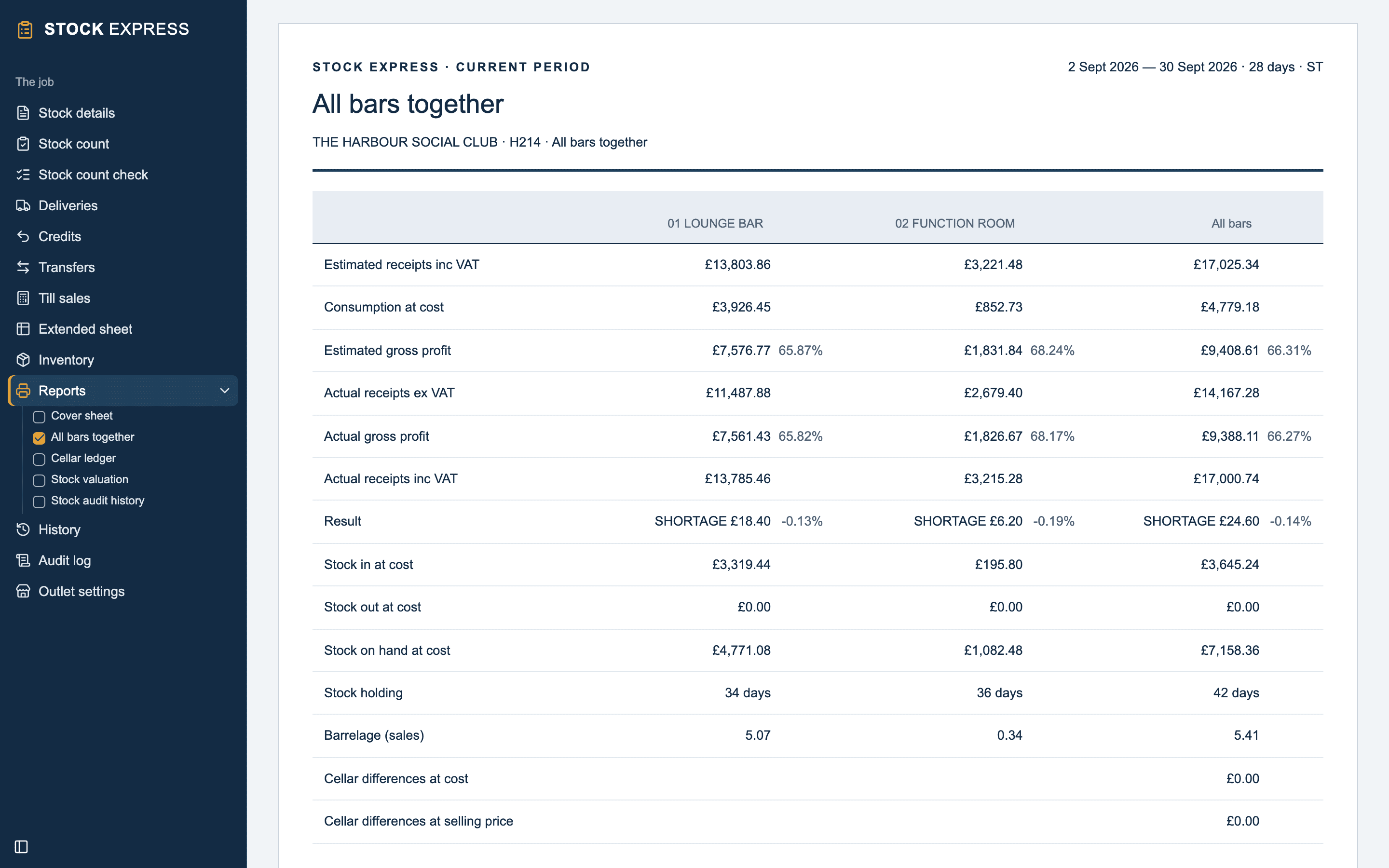
Choose All bars, then go to Reports, for the reports of the whole house:
- Cover sheet.
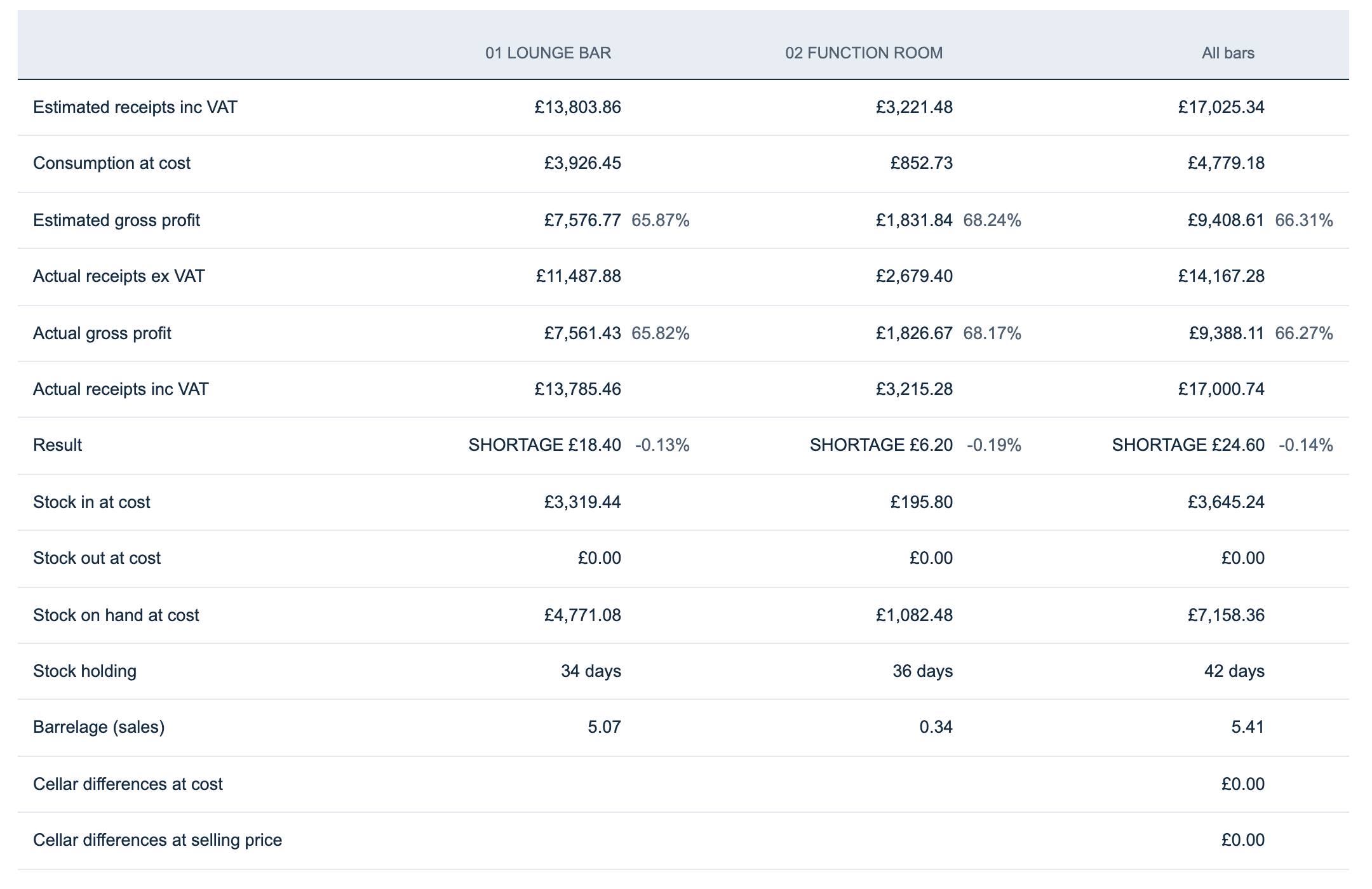
- All bars together: each bar's result side by side, with a column for all of them. Each figure in All bars is the sum of the bars'.
- Cellar ledger, if the house has a cellar. See The cellar.
- Stock valuation: each bar's stock and all of it.
- Stock audit history: the outlet's, then each bar's.
Closing the period
Every bar closes together: close the period from any bar's Stock details. Each bar opens the next period with its own closing carried forward as its opening.
The stock will not close while a bar has nothing counted, and says which. Undoing the close gives every bar back exactly as it was.
Want to try this with one of your own outlets? Start for free.