Multi-bar
A house with more than one bar, each counted with its own takings and result, and a cellar if it has one.
A hotel or a big club often has more than one bar: a lounge, a function room, a restaurant. Make the outlet Multi-bar and each bar is counted on its own, with its own takings, till and result, and you still get one result for the whole house.
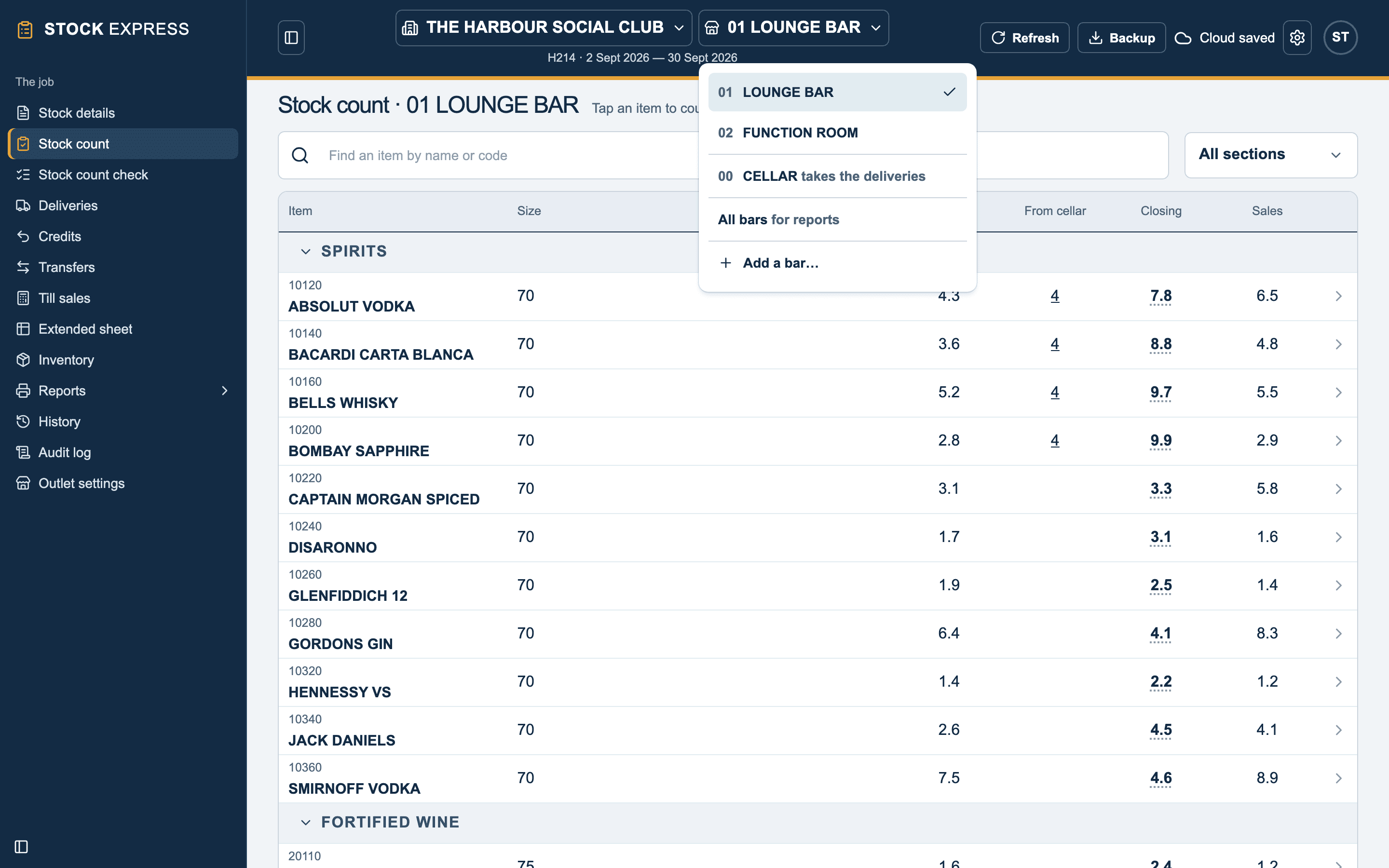
The bar list
A Multi-bar outlet has a second list at the top, beside the outlet's name: the bar you are working on. Tap it to change bar. It lists:
- Each bar, by its number and name: 01 LOUNGE BAR, 02 FUNCTION ROOM.
- 00 CELLAR, if the house has a cellar.
- All bars, for the reports of the whole house.
- Add a bar…
Every screen that works on one bar names it in its heading, such as Stock count · 02 FUNCTION ROOM, so it is hard to count into the wrong one. Each device remembers the bar it was last on, and the list works with no signal.
What is each bar's, and what is the outlet's
Each bar has its own:
- Count: the items it stocks and how many of each.
- Deliveries and credit notes.
- Takings and till reconciliation, typed on its Stock details.
- Adjustments and allowances.
- Selling prices, where a bar charges differently. See A bar's own prices.
The outlet keeps one of each of these for every bar: its name, job number, dates, VAT rate, groups and price list. Change a cost or a selling price once and every bar has it.
All bars
All bars is for reports. Stock count, Stock details, Deliveries and the other screens work one bar at a time. Opened with All bars chosen, they ask which bar, with a button for each.
Want to try this with one of your own outlets? Start for free.