Deliveries
Each delivery note typed as its four boxes, read off a photo, or kept for the next stock.
A kitchen's deliveries are typed as the notes' totals, not line by line: one line per note, the total off the bottom of it, ex VAT. Deliveries lists them, with Purchases, Credits and Purchases less credits at the top.
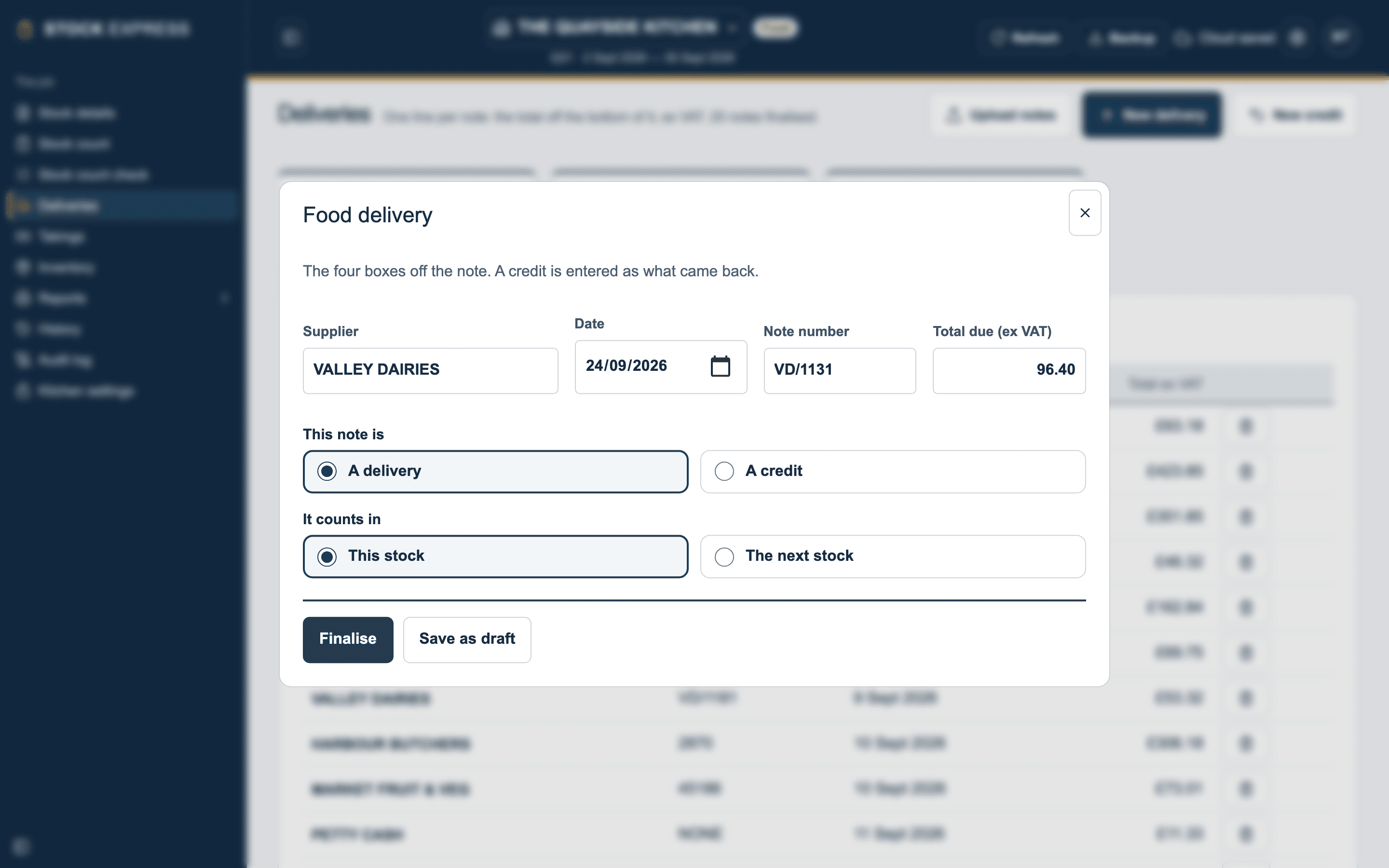
Typing in a note
- Tap New delivery.
- Fill in the four boxes off the note: Supplier, Date, Note number and Total due (ex VAT). Pick a supplier from the list as you type, or type a new one.
- Tap Finalise.
Save as draft keeps it without counting it, under Drafts: not counted yet, until you open it and finalise it.
A total can be typed with a comma or a pound sign, such as 1,234.56 or £45. A note dated outside the stock says so, and is still counted.
Credits
Tap New credit for a credit note, and type what came back as it is, with no minus sign. It goes into Credits. This note is, in the window, says which it is, A delivery or A credit, and can be changed.
Petty cash
For something bought from the shop with no note, choose PETTY CASH as the supplier. It needs no note number: it is kept as NONE.
From a photo of the note
Tap Upload notes, and choose photos or PDFs of the notes, as many as you like, or take the photos there and then. Each note is read, and comes in as a draft with its four boxes filled in.
Open a draft, and the photo is beside the boxes, under Read off the photo. Check the boxes against it, then Finalise. Another photo reads it again from a better picture.
- The total ex VAT is taken where the note gives one; if it gives only a total with VAT, the VAT is taken off at the outlet's rate, and it says so.
- A box it can't read is left empty, and said, never guessed.
- A note already in the stock is pointed out.
Notes for the next stock
A note that came after the count belongs to the next stock. Under It counts in, choose The next stock, then Keep for the next stock. It is listed under For the next stock: counted once this one is closed, and is not in this stock's purchases. It counts in the next stock as soon as this one closes. Save as draft for the next stock keeps an unfinished one there.
Tap a note to change it, or the bin beside it to delete it.
Want to try this with one of your own outlets? Start for free.