Counting the kitchen
The kitchen's count at cost, group by group, to two decimal places.
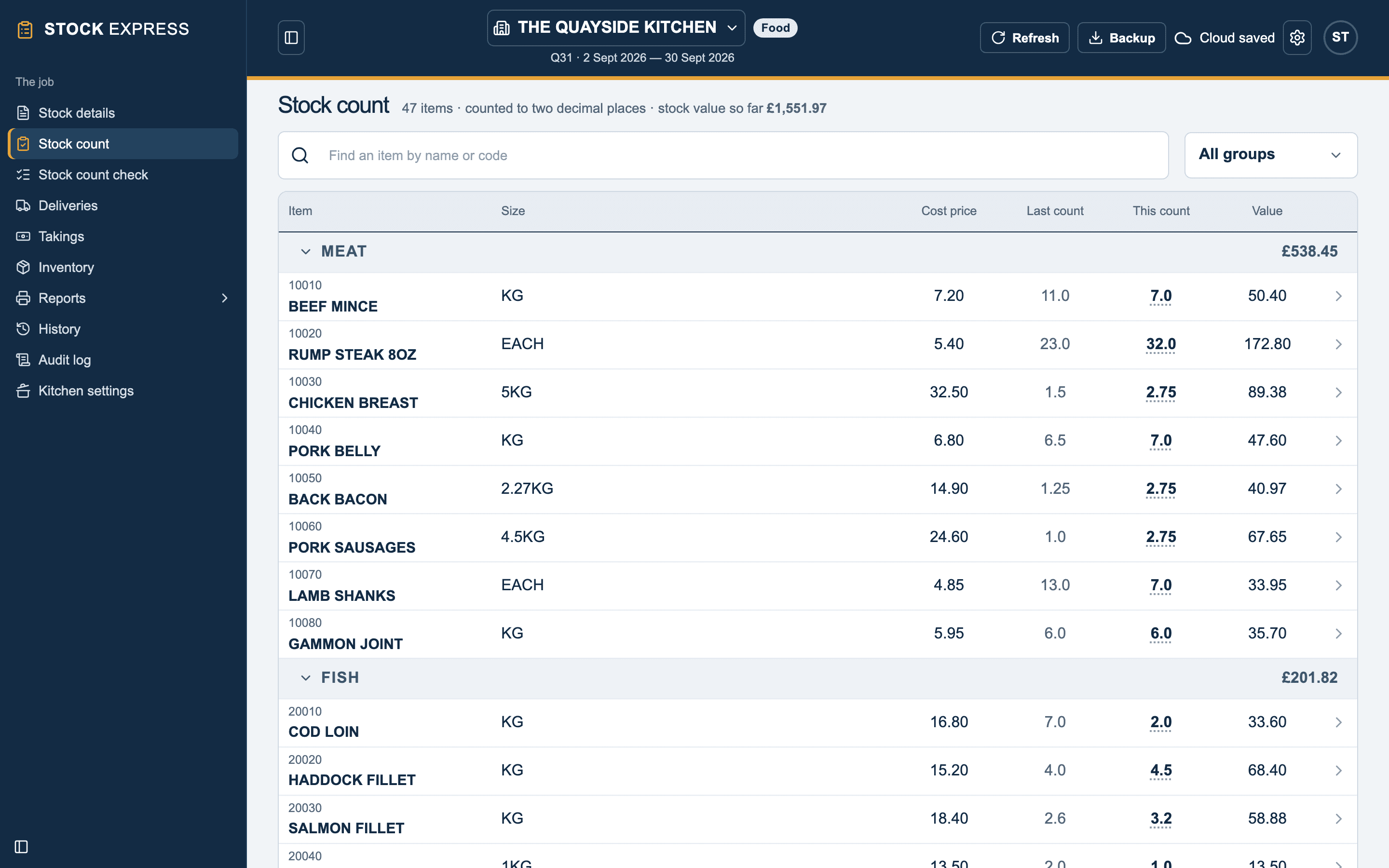
Stock count lists the kitchen's items group by group, with each item's:
- Cost price.
- Last count: what was counted at the last stock.
- This count.
- Value: this count × the cost price, to the penny.
Each group's heading shows what its items are worth, and the top of the screen the stock value so far. That is the kitchen's closing stock.
Counting an item
Tap an item to open its count pad. Type what is in each place, in Location 1 to Location 5: the walk-in fridge, the freezer, the dry store, the line. The pad adds them up to the count. A kitchen's pad has no Cellar or Ullage. See The count pad.
Count in whatever the item's size says: kilos for a KG item, packs for a 5KG box, so half a box is 0.5. Counts go to two decimal places, so a quarter, 0.75, is fine. A third decimal place is refused, such as "Count food to two decimal places: 1.26, not 1.257."
Finding an item
Type part of a name or a code in Find an item by name or code, or choose one group in the list beside it, rather than All groups.
Checking the count
Stock count check shows every figure typed on each item's pad, as for a bar. Put one right there, and it is held to two decimal places too. See Checking the count.
Counting on paper
The Count sheets report prints the kitchen group by group: each item, its size and cost, its last count as a check, and a space for this one.
Want to try this with one of your own outlets? Start for free.