Takings
The kitchen's takings, typed week by week inc VAT, with extras and deductions.
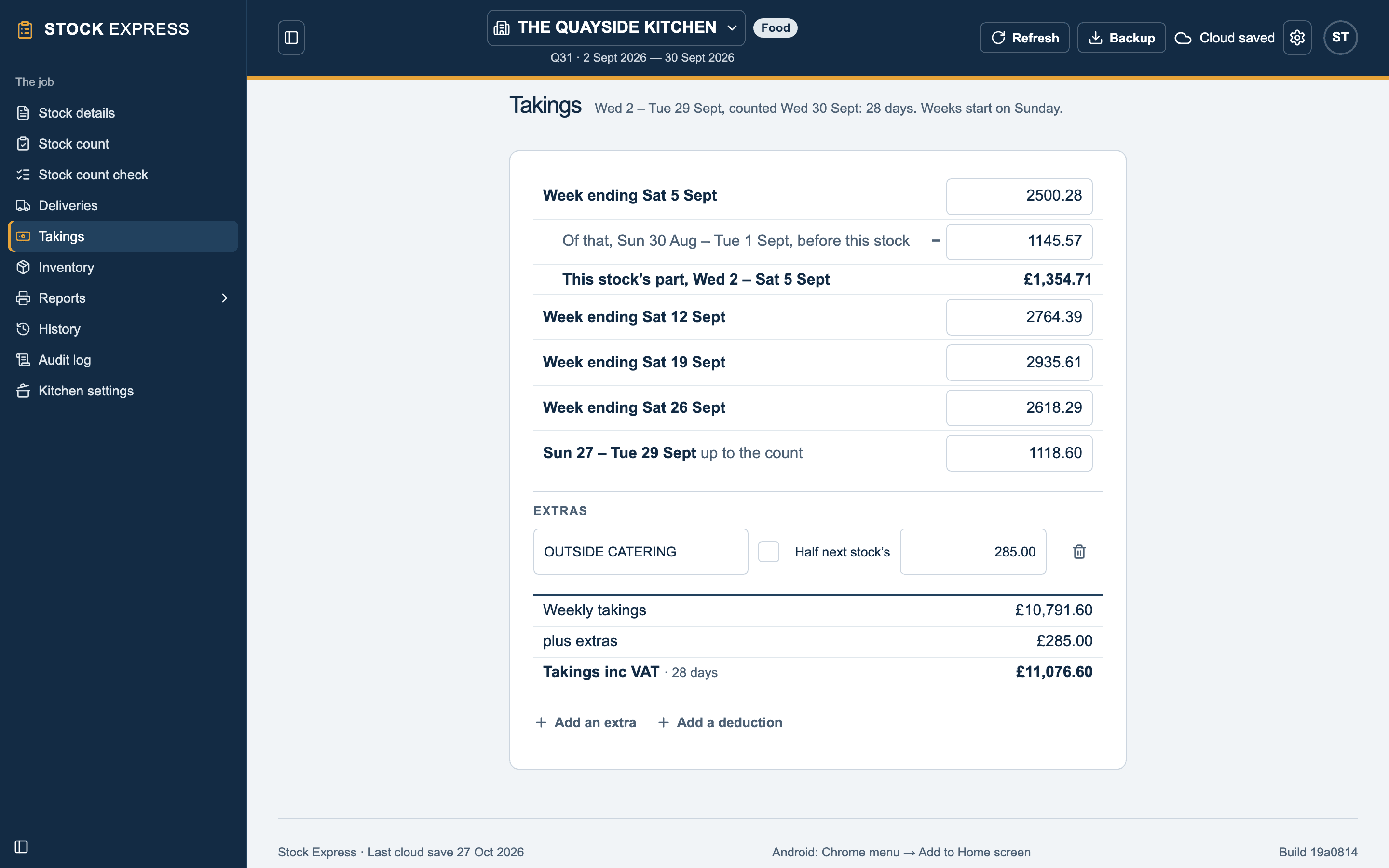
Takings lists every week the stock touches, by the outlet's own weeks, each with a box to type what it took, including VAT. At the top it says the stock's days and the day the weeks start on.
The weeks
Type each week's takings as the outlet gives them, from its till or its books:
- Week ending: the whole week.
- Of that, … before this stock: under the first week, the part of it before the stock opened. It is taken off, and This stock's part is worked out beneath.
- The last line runs up to the count: the days of the last week up to the day before the count.
Takings inc VAT is the total, with the stock's days beside it. The days always come to the stock's: if the dates change, the weeks change with them.
Extras and deductions
Under the total, Add an extra adds takings that are not in the weekly figures, such as outside catering. Add a deduction takes off something the weekly figures include that is not the kitchen's. Each has a name and an amount, inc VAT; up to five extras and three deductions.
Tick Half next stock's on one that the next stock's weekly figures will include too: it is taken off the next stock's takings (or put back on, for a deduction), so it counts once.
Weeks and dates
The outlet's weeks start on the day set in Kitchen settings, Weeks start on. If dates are changed so that some typed takings no longer fall in the stock, Takings not in this stock lists them: put the dates back on Stock details, or tap Remove.
Want to try this with one of your own outlets? Start for free.